
Salary Details
Enter your salary components and deductionsSalary Components
Deductions
Salary Breakdown
Detailed calculation and analysis| Component | Amount |
|---|
Important Information
- This calculator provides an estimate of your in-hand salary
- Actual deductions may vary based on company policy and tax regulations
- PF contribution is typically 12% of Basic + DA
- Professional Tax varies by state (₹200-₹2,500 per month)
- Consult your HR department for exact calculations
Teacher Salary Calculator: Your Ultimate Guide to Calculating In-Hand Salary
Managing finances as a teacher can be challenging, especially when it comes to understanding your salary breakdown. Whether you’re trying to figure out your take-home pay, account for deductions, or plan your budget, the teacher salary calculator is here to simplify the process. This comprehensive tool is designed to help educators calculate their in-hand salary after taxes and deductions, ensuring you have a clear picture of your earnings.
In this guide, we’ll walk you through each section of the teacher salary calculator, explaining how to use it effectively. By the end, you’ll not only understand your salary better but also feel empowered to make informed financial decisions.
Why Use a Teacher Salary Calculator?
As a teacher, your salary often includes various components like basic pay, allowances, and deductions. Understanding these elements is crucial for financial planning. The teacher salary calculator takes the guesswork out of the equation by providing a detailed breakdown of your gross salary, deductions, and net in-hand salary.
Here’s why this tool is a must-have:
- Clarity: Get a clear understanding of your salary structure.
- Accuracy: Calculate your take-home pay with precision.
- Convenience: Save time by automating complex calculations.
- Financial Planning: Use the insights to plan your budget and savings.
Exploring the Teacher Salary Calculator
The teacher salary calculator is divided into intuitive sections, each designed to make the process seamless. Let’s explore these sections in detail.
1. Header Section: Setting the Tone
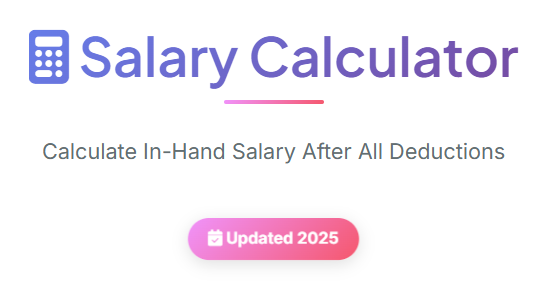
The first thing you’ll notice is the vibrant header that welcomes you to the calculator. The header features a bold title, “Salary Calculator,” and a brief description: “Calculate In-Hand Salary After All Deductions.” This sets the tone for what the tool offers—clarity and simplicity.
A standout feature here is the year badge, which assures users that the calculator is updated for 2025. This is particularly important for teachers, as tax regulations and salary structures can change annually.
2. Currency Selection: Tailored for Global Users
Teachers across the globe can use the teacher salary calculator, thanks to its customizable currency options. The currency section allows you to select from popular symbols like ₹ (INR), $ (USD), € (EUR), and more. If your currency isn’t listed, you can enter a custom symbol, ensuring the tool works for everyone.
For example, if you’re a teacher in India, you can select ₹ as your currency. This feature ensures that the calculator adapts to your specific needs, making it a versatile tool for educators worldwide.

3. Salary Mode Toggle: Monthly or Annual?
One of the most useful features of the teacher salary calculator is the salary mode toggle. Teachers often receive their salaries either monthly or annually, and this toggle lets you choose your preferred mode.
- Monthly Mode: Ideal for teachers who want to calculate their monthly take-home pay.
- Annual Mode: Perfect for those who prefer to see their yearly earnings.
Switching between these modes is as simple as clicking a button. For instance, if you’re planning to compare renting vs buying a property, knowing your monthly salary can help you make an informed decision. (🏠 Rent vs Buy Calculator – Compare renting vs buying a property.)

4. Salary Components: Breaking Down Your Earnings
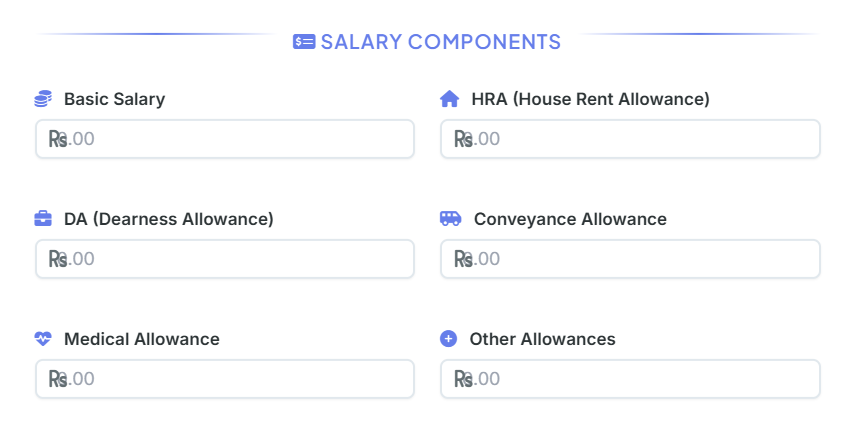
The salary components section is where you input the details of your earnings. This section includes fields for:
- Basic Salary: The core component of your salary.
- HRA (House Rent Allowance): A common allowance for teachers, especially those living in rented accommodations.
- DA (Dearness Allowance): Helps offset the impact of inflation.
- Conveyance Allowance: Covers transportation costs.
- Medical Allowance: For healthcare-related expenses.
- Other Allowances: Any additional earnings.
By entering these details, the teacher salary calculator computes your gross salary, giving you a clear picture of your total earnings before deductions.
5. Deductions: Understanding What’s Taken Out
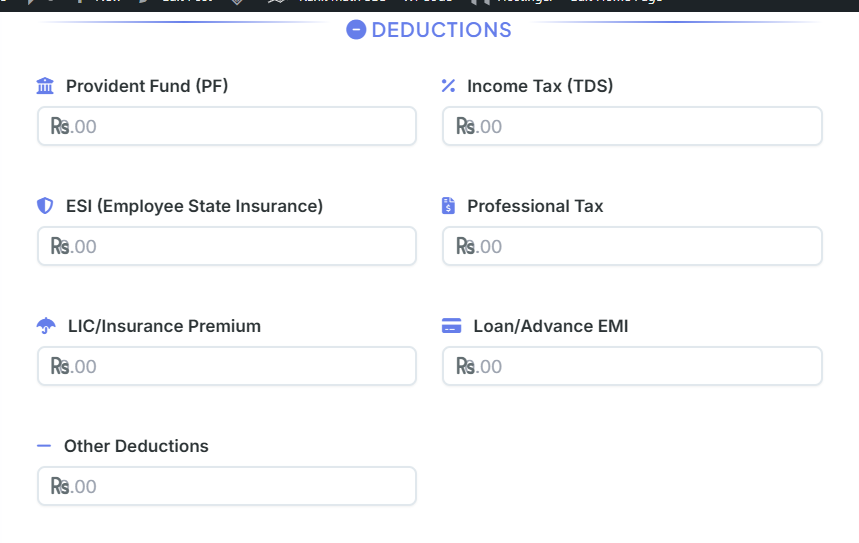
Deductions are an inevitable part of any salary, and the teacher salary calculator ensures you’re fully aware of them. This section includes fields for:
- Provident Fund (PF): A retirement savings scheme.
- Income Tax (TDS): Tax deducted at source.
- ESI (Employee State Insurance): For medical benefits.
- Professional Tax: A state-specific deduction.
- LIC/Insurance Premium: For life insurance policies.
- Loan/Advance EMI: Monthly loan repayments.
- Other Deductions: Any additional deductions.
For example, if you’re planning your monthly budget, knowing your deductions can help you allocate funds more effectively. (📊 Budget Calculator – Plan and track your monthly budget.)
6. Calculate Button: Instant Results
Once you’ve entered all the necessary details, click the Calculate In-Hand Salary button. The teacher salary calculator instantly computes your:
- Gross Salary: Total earnings before deductions.
- Total Allowances: Sum of all allowances.
- Total Deductions: Sum of all deductions.
- Net In-Hand Salary: Your take-home pay.
This feature is a game-changer for teachers who want quick and accurate results without manual calculations.
7. Results Section: Detailed Breakdown
The results section provides a comprehensive breakdown of your salary. Here’s what you’ll find:
- Gross Salary: Highlighted for easy visibility.
- Total Allowances: Displayed in green to indicate earnings.
- Total Deductions: Displayed in red to indicate deductions.
- CTC (Cost to Company): Includes employer contributions.
- Net In-Hand Salary: Your final take-home pay.
This section also features a visually appealing in-hand salary card, which displays your net salary prominently. Whether you’re calculating your pay after tax or planning your savings, this section provides all the information you need.

8. Breakdown Table: Transparency at Its Best
The breakdown table is a detailed summary of your salary components. It categorizes your earnings and deductions, ensuring complete transparency. For teachers who want to dive deeper into their salary structure, this table is invaluable.
For instance, if you’re trying to calculate your salary after tax, the breakdown table shows exactly how much tax is deducted from your earnings.
9. Action Buttons: Save and Share
The teacher salary calculator includes action buttons that let you save or share your results. These buttons include:
- Print Salary Slip: Generate a printable version of your salary slip.
- Download PDF: Save your salary details as a PDF.
- Download Excel: Export your data to an Excel sheet.
- Reset All: Clear all inputs and start fresh.
These features are particularly useful for teachers who need to share their salary details with financial advisors or HR departments.
10. Info Box: Important Notes
The info box provides additional insights and tips, such as:
- PF contribution is typically 12% of Basic + DA.
- Professional Tax varies by state.
- Consult your HR department for exact calculations.
This section ensures that you’re well-informed about the nuances of your salary.
Practical Applications of the Teacher Salary Calculator
The teacher salary calculator isn’t just a tool—it’s a solution to real-world problems. Here are some practical applications:
1. Budget Planning
By calculating your net salary, you can create a realistic budget. For example, if you’re trying to pay off credit card debt, knowing your take-home pay can help you allocate funds effectively. (💳 Credit Card Calculator – Calculate credit card interest and payoff time.)
2. Tax Planning
Understanding your salary after tax is crucial for tax planning. The calculator helps you estimate your tax liability, ensuring you’re prepared for tax season.
3. Loan Management
If you’re repaying a loan, the calculator’s deduction section lets you account for EMIs, helping you manage your finances better.
4. Salary Negotiation
When negotiating your salary, knowing your salary take-home calculator results can give you an edge. You’ll have a clear understanding of what you’re earning and what you need.
Conclusion
The teacher salary calculator is more than just a tool—it’s a financial companion for educators. By providing a detailed breakdown of your salary, it empowers you to make informed decisions, plan your budget, and achieve your financial goals.
Whether you’re calculating your pay after tax, planning your monthly expenses, or preparing for a big purchase, this tool has you covered. So why wait? Start using the teacher salary calculator today and take control of your finances!
FAQs
What is a teacher salary calculator, and how does it work?
A teacher salary calculator is a tool designed to help educators calculate their in-hand salary after accounting for all earnings and deductions. By entering details like basic salary, allowances (HRA, DA, etc.), and deductions (PF, income tax, etc.), the calculator provides a detailed breakdown of your gross salary, total deductions, and net take-home pay. It simplifies complex calculations, ensuring accuracy and saving time.
Can the teacher salary calculator handle different currencies?
Yes! The teacher salary calculator supports multiple currencies, including ₹ (INR), $ (USD), € (EUR), £ (GBP), and more. You can also enter a custom currency symbol if your preferred one isn’t listed. This makes the tool versatile and suitable for teachers worldwide.
What is the difference between gross salary and net salary?
Gross Salary: This is your total earnings before any deductions. It includes your basic salary, allowances (HRA, DA, etc.), and other benefits.
Net Salary (In-Hand Salary): This is the amount you take home after all deductions, such as PF, income tax, and other contributions. The teacher salary calculator provides both figures, giving you a clear understanding of your salary structure.
Can I use the teacher salary calculator for annual and monthly salary calculations?
bsolutely! The teacher salary calculator features a salary mode toggle, allowing you to switch between monthly and annual calculations. This flexibility is perfect for teachers who want to view their earnings in different formats, whether for budgeting or tax planning.
Is the teacher salary calculator accurate for tax and deduction calculations?
The teacher salary calculator provides highly accurate estimates based on the data you input. However, actual deductions like income tax and professional tax may vary depending on your country’s tax laws and your employer’s policies. For precise figures, it’s always a good idea to consult your HR department or a financial advisor.

