
Mastering the Slope Intercept Form Calculator: A Beginner’s Guide
If you’ve ever struggled with finding the slope of a line, calculating the y-intercept, or graphing equations, you’re not alone. These tasks can feel overwhelming, especially if math isn’t your strong suit. That’s where the Slope Intercept Form Calculator comes in—a user-friendly tool designed to simplify these calculations and make understanding slope intercept form a breeze. Whether you’re a student, teacher, or professional, this calculator is your go-to solution for tackling slope-related problems with ease.
In this guide, we’ll walk you through every feature of the Slope Intercept Form Calculator, explaining how to use it step by step. From calculating the slope intercept form from two points to exploring real-world applications, this tool has everything you need. Let’s dive in!
1. Two Points Tab: Calculate Slope and More
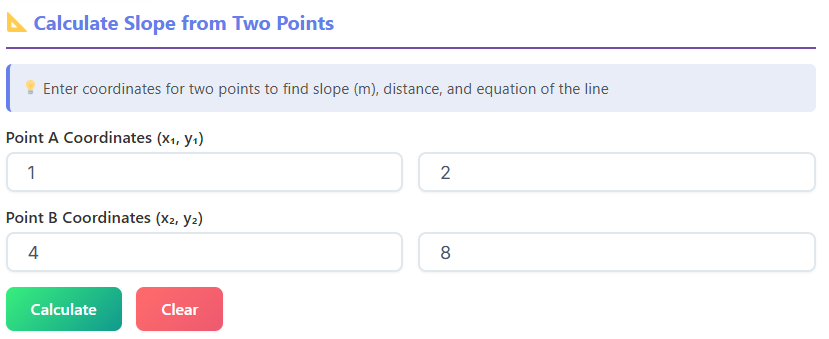
The Two Points Tab is perfect for anyone who needs to calculate the slope intercept form from two points. This section is designed with simplicity in mind, making it easy for beginners to navigate.
Features and How to Use Them
- Title & Header: At the top of the tab, you’ll see a clear title that indicates you’re in the “Two Points” section. This ensures you’re in the right place to calculate the slope from two points.
- Input Fields: You’ll find four input boxes labeled
x₁,y₁,x₂, andy₂. These represent the coordinates of two points on a line. Simply enter the values for your points, and the calculator will do the rest. - Buttons:
- Calculate: Once you’ve entered the coordinates, click this button to find the slope, y-intercept, and other properties of the line.
- Clear: Made a mistake? No problem. The Clear button resets all fields so you can start fresh.
- Results Section:
- Slope Result: The slope (m) is displayed prominently, so you can quickly see the steepness of the line.
- Rise, Run, Distance, and Angle: These additional boxes break down the line’s properties, showing the rise over run, the distance between the points, and the angle of the line.
- Canvas Graph: A visual graph is generated, plotting the two points and the line that connects them. This is especially helpful for visual learners.
- Formula Box: The slope formula and the line equation are dynamically displayed based on your input. This helps you understand how the calculations are performed.
- Step-by-Step Calculation: For those who want to learn, this section breaks down the process of finding the slope and y-intercept step by step. It’s like having a math tutor built into the tool!
Example
Let’s say you want to find the slope intercept form from two points: (2, 3) and (5, 7). Enter these values into the input fields, click Calculate, and voilà! The slope, y-intercept, and other details are displayed instantly, along with a graph of the line.
2. Line Equation Tab: Analyze and Convert Equations
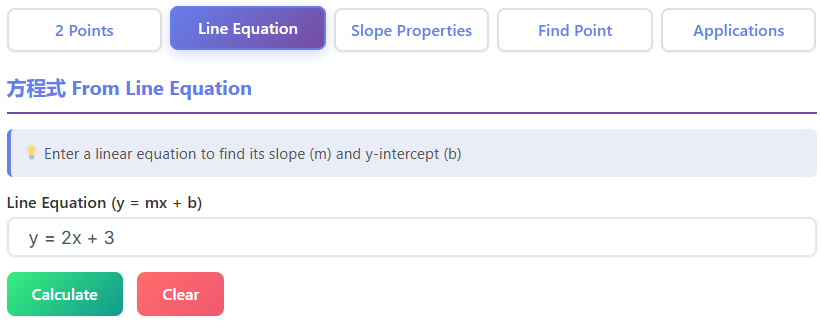
The Line Equation Tab is ideal for users who already have a line equation and want to analyze or convert it into different forms.
Features and How to Use Them
- Input Field: Enter your line equation here. The calculator supports various formats, including
y = mx + b(slope-intercept form) andAx + By = C(standard form). - Buttons:
- Calculate: Click this to analyze the equation and extract key properties like slope, y-intercept, and x-intercept.
- Clear: Reset the input field with a single click.
- Results Section:
- Slope, Y-Intercept, and X-Intercept: These values are displayed clearly, helping you understand the line’s properties.
- Angle: The angle of the line is also calculated, giving you a complete picture.
- Canvas Drawing: The line is plotted on a graph, making it easy to visualize.
- Equation Forms:
- The calculator converts your input into slope-intercept, standard, and point-slope forms. This is incredibly useful for comparing different representations of the same line.
- Step-by-Step Conversion: Each conversion is explained in detail, so you can follow along and learn how it’s done.
Example
If you input the equation 2x + 3y = 6, the calculator will:
- Extract the slope and intercepts.
- Convert it to
y = -2/3x + 2(slope-intercept form) andy - 2 = -2/3(x - 0)(point-slope form). - Plot the line on a graph for easy visualization.
3. Slope Properties Tab: Explore Relationships
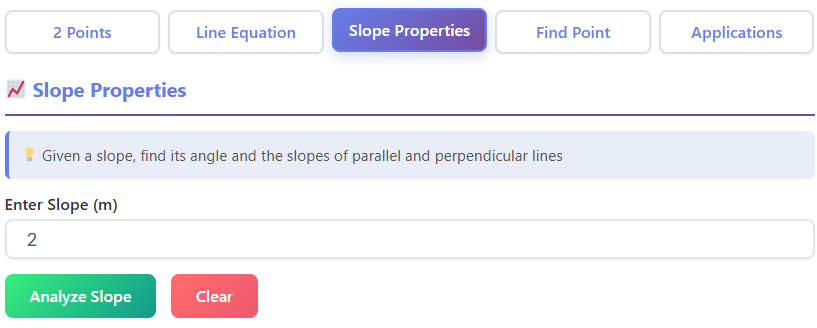
The Slope Properties Tab is perfect for exploring the relationships between slopes, angles, and lines.
Features and How to Use Them
- Input Field: Enter the slope (m) of a line.
- Results Section:
- Angle in Degrees & Radians: The calculator converts the slope into its corresponding angle, displayed in both degrees and radians.
- Parallel Slope: The slope of a line parallel to the given line is shown (it’s the same as the input slope).
- Perpendicular Slope: The slope of a line perpendicular to the given line is also displayed.
- Visual Graph: The graph shows the original line, a parallel line, and a perpendicular line, helping you visualize these relationships.
- Relationship Formulas: The UI displays formulas that explain the relationships between slopes and angles.
- Steps Section: This section provides a detailed analysis of the slope and its properties.
Example
Enter a slope of 2. The calculator will:
- Show the angle as approximately 63.43° (or 1.11 radians).
- Display the parallel slope as
2and the perpendicular slope as-1/2. - Plot all three lines on a graph for easy comparison.
4. Find a Point Tab: Calculate New Points
The Find a Point Tab is a handy tool for calculating a new point on a line, given a starting point, slope, and distance.
Features and How to Use Them
- Input Fields:
- Starting Point: Enter the coordinates of the starting point.
- Slope: Input the slope of the line.
- Distance: Specify the distance you want to calculate along the line.
- Results Section:
- Start Point & End Point: The calculator displays both the starting and ending points.
- Distance & Slope: These values are also shown for reference.
- Canvas Preview: The graph plots the starting point, ending point, and the line connecting them.
- Formulas Box: The UI displays the formulas used to calculate the new point.
- Steps Section: A step-by-step explanation of the calculation is provided.
Example
If your starting point is (1, 2), the slope is 3, and the distance is 5, the calculator will:
- Calculate the new point as (3.87, 11.61).
- Plot both points on a graph.
- Show the distance and slope for verification.
5. Applications Tab: Real-World Uses
The Applications Tab demonstrates how slope calculations are used in real-world scenarios. This section is both practical and engaging.
Features and How to Use Them
- Dropdown Menu: Select from real-world applications like ramps, roofs, roads, or ski slopes.
- Input Fields:
- Rise & Run: Enter the rise and run values for the scenario.
- Calculate Percentage Slope: The calculator determines the slope as a percentage.
- Results Section:
- Slope, Angle, and Distance: These values are displayed to help you understand the scenario better.
- Canvas: A visual representation of the scenario is provided.
Example
If you’re designing a ramp with a rise of 2 feet and a run of 10 feet, the calculator will:
- Show the slope as 20%.
- Display the angle and distance.
- Provide a graph of the ramp for visualization.
Why Use the Slope Intercept Form Calculator?
This tool isn’t just about numbers—it’s about making math accessible and practical. Whether you’re a student learning how to find the slope of the line or a professional working on real-world projects, this calculator has you covered.
And if you’re exploring other mathematical concepts, check out these tools:
- 📏 Ratio Calculator: Simplify ratios and calculate proportions.
- 🔺 Triangle Calculator: Calculate triangle sides, angles, and area.
- ⭕ Circle Calculator: Calculate diameter, circumference, and area.
- 🎲 Combination Calculator: Calculate combinations and permutations.
- 📉 Slope Calculator: Find slope of a line between two points.
- 🔄 Rounding Calculator: Round numbers to specific decimal places.
Final Thoughts
The Slope Intercept Form Calculator is more than just a tool—it’s a learning companion. With its intuitive design, step-by-step explanations, and real-world applications, it’s perfect for anyone looking to master slope intercept form. So why wait? Start exploring today and make math your strength!
FAQs
What is the Slope Intercept Form Calculator used for?
The Slope Intercept Form Calculator is a versatile tool designed to help users calculate and understand the slope and y-intercept of a line. It can also convert equations into different forms, analyze slope properties, find points on a line, and explore real-world applications like ramps, roofs, and roads. Whether you’re a student or a professional, this tool simplifies complex calculations and provides visual graphs for better understanding.
Can I use the calculator to find the slope from two points?
Absolutely! The Two Points Tab in the calculator is specifically designed for this purpose. Simply input the coordinates of two points (x₁, y₁, x₂, y₂), and the calculator will instantly display the slope, y-intercept, rise, run, distance, and angle. It even provides a step-by-step breakdown and a graph to help you visualize the line.
Does the calculator support different equation formats?
Yes, the calculator supports multiple equation formats, including y = mx + b (slope-intercept form) and Ax + By = C (standard form). In the Line Equation Tab, you can input your equation in either format, and the tool will analyze it, extract key properties like slope and intercepts, and convert it into other forms like point-slope. It also provides a graph and step-by-step explanations for better clarity.

