
Your Ultimate Guide to the Simplify Ratio Calculator
Ratios are everywhere. They are in the recipes we cook, the maps we read, and the architectural plans that build our cities. They help us understand relationships between numbers, making sense of scale, proportion, and distribution. But sometimes, working with these numbers can feel a bit tricky. How do you calculate a ratio between two numbers quickly and accurately? What if you need to simplify a complex ratio like 128:256 on the fly? That’s where a powerful digital tool can make all the difference.
This guide will walk you through a fantastic online tool designed to handle all your ratio needs: the simplify ratio calculator. We’ll explore its user-friendly interface in detail, from its various functions to the clear, step-by-step solutions it provides. Whether you’re a student struggling with homework, a teacher creating lesson plans, a designer scaling a project, or just someone who needs a quick answer, this tool is designed for you. Forget manual calculations and potential errors; a good simplify ratio calculator is like having a math expert in your pocket.
Getting to Know Your Digital Math Companion
Imagine opening a webpage and seeing a clean, organized, and intuitive calculator. There are no cluttered ads or confusing buttons. That’s the experience of using a well-designed simplify ratio calculator. The main purpose of this tool is to take any set of numbers and reduce their ratio to its simplest form. But it does much more than that. Let’s dive into the visual layout and core components you’ll find. You can use this tool directly on SwiftCalcu.com to follow along.
When you first land on the page, your eyes are drawn to a central calculation hub. It’s a self-contained unit with everything you need right at your fingertips. At the very top of this unit, you’ll see a set of tabs. These tabs are your gateway to different types of ratio calculations. The default and most prominent tab is, of course, the “Simplify Ratio” tab.
The Core Interface: What You See First
Before we explore each tab, let’s break down the common elements you’ll see across the tool.
- Input Fields: These are the empty boxes where you type your numbers. For the simplify ratio calculator function, you will typically see two or more input boxes separated by a colon (:). They are clearly labeled, often with placeholders like “A” and “B,” making it obvious where your values go.
- Buttons: A large, prominent “Calculate” button is usually located right below the input fields. Its color and size make it stand out, so you know exactly what to click once you’ve entered your numbers. You might also find a “Reset” or “Clear” button nearby, which allows you to quickly erase the fields and start a new calculation.
- Result Box: This is where the magic happens. After you hit “Calculate,” the answer appears instantly in a dedicated result box. It’s designed to be unambiguous, showing the simplified ratio in a clean format. This section is the heart of any online ratio finder.
- Steps Section: Many users don’t just want the answer; they want to understand how the calculator got there. A great simplify ratio calculator includes a “Show Steps” section. It breaks down the entire process, explaining the greatest common divisor (GCD) and showing the division that leads to the final, simplified answer.
- Visual Chart: To make the concept of ratios even more tangible, a visual chart or bar graph often accompanies the result. It represents the two numbers as colored bars, giving you a quick visual comparison of their relationship. This is incredibly helpful for visual learners.
- Help Box: Sometimes, you might need a quick reminder of what a function does. A small, unobtrusive “Help” or “Info” icon often sits in a corner. Clicking it reveals a brief explanation of the tool’s purpose and how to use it, ensuring you never feel lost.
This thoughtful design makes the simplify ratio calculator exceptionally easy to use, even for those who aren’t math-savvy. It provides a complete solution, from input to answer to understanding.
Exploring the Tabs: A Multi-Functional Ratio Tool
What makes this particular simplify ratio calculator a standout is its versatility. It’s not just a one-trick pony; it’s a suite of four powerful tools packed into one neat interface. Let’s explore each tab in detail.
1. The Simplify Ratio Tab
This is the primary function and the first tab you’ll see. It’s the core of the tool, designed to do exactly what its name suggests: simplify ratios.
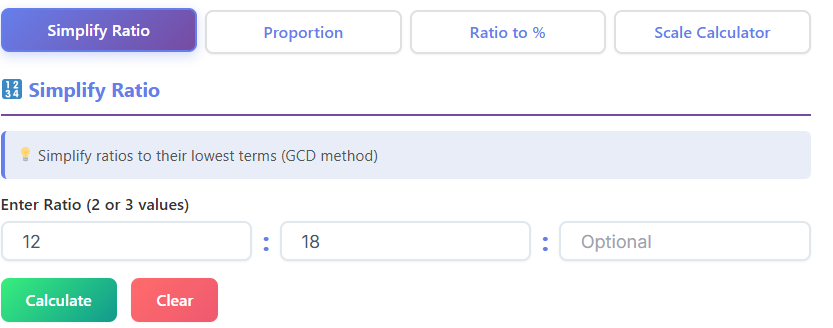
- What it does: It takes two or more numbers and reduces them to their simplest integer form. For example, if you enter 50:100, it will return 1:2. This process involves finding the greatest common divisor of the numbers and dividing them by it.
- When to use it: Use this anytime you have a ratio that needs to be expressed in its most fundamental form. This is common in math problems, cooking recipes (e.g., simplifying 8 cups of flour to 4 cups of sugar), or comparing statistics.
- Who needs it:
- Students: A lifesaver for math homework, helping them check answers and understand the simplification process.
- Teachers: An excellent resource for creating examples and demonstrating how to determine a ratio in its simplest form.
- Cooks and Bakers: Perfect for scaling recipes up or down while keeping ingredient proportions correct.
- General Users: Anyone needing a quick comparison between two numbers will find this tool invaluable.
- Short Example: A photographer wants to print a photo with dimensions of 1920 pixels by 1080 pixels. To understand its aspect ratio, they use the simplify ratio calculator. They enter 1920 and 1080 and get the simplified ratio: 16:9.
This feature is the most-used part of the tool and a prime example of a quality ratio calculation online service.
2. The Proportion Tab
The second tab helps you solve for a missing value in a proportion. Proportions are equations that state two ratios are equal.
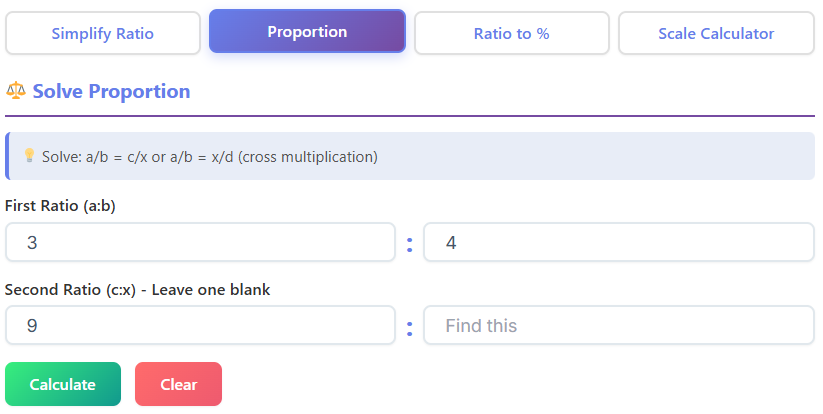
- What it does: This function solves for ‘x’ in a proportion like A:B = C:D. You can enter any three of the four values, and the calculator will find the missing one. For example, if you know 2:4 = 10:x, the tool will solve for x.
- When to use it: This is essential when you need to scale something up or down and maintain its proportions. Think of resizing an image, converting map distances, or adjusting a chemical solution.
- Who needs it:
- Designers and Architects: Constantly need to ensure that their scaled drawings are accurate. If a wall is 5 cm on a plan and represents 10 m in reality, they can use the proportion tab to find out how long a 15 m wall should be on the plan.
- Engineers: Use proportions for model testing and scaling components.
- Students: A fundamental concept in algebra and geometry, this tool helps them solve for unknown variables in proportions.
- Short Example: An architect is working on a blueprint where the scale is 1 inch = 5 feet. A room measures 3 inches long on the blueprint. To find the actual length of the room, they set up the proportion 1:5 = 3:x. The proportion calculator instantly solves for x, revealing the room is 15 feet long.
3. The Ratio to % Tab
The third tab provides a bridge between ratios and percentages, two concepts that are closely related but expressed differently.
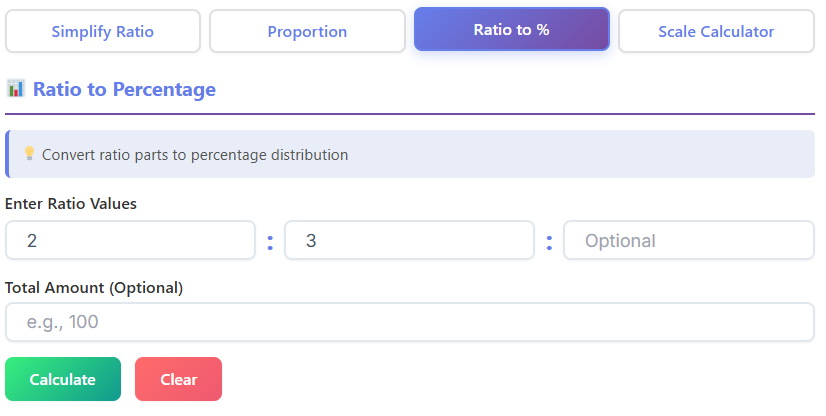
- What it does: It converts a ratio into percentages. If you have a ratio of A:B, it calculates what percentage A is of the total (A+B) and what percentage B is of the total.
- When to use it: Use this when you need to understand the distribution or share of components within a whole. This is useful for analyzing survey results, understanding financial distributions, or looking at statistical data.
- Who needs it:
- Business Analysts: Might use it to understand market share. If Company A has 300,000 customers and Company B has 900,000, the ratio is 1:3. The calculator converts this to 25% for Company A and 75% for Company B.
- Scientists: Can use it to represent the concentration of substances in a mixture.
- Teachers: Helpful for explaining the relationship between ratios, fractions, and percentages to students.
- Short Example: In a class of 30 students, there are 18 girls and 12 boys. The ratio of girls to boys is 18:12. A teacher uses the “Ratio to %” tab, which first simplifies the ratio to 3:2. It then calculates the percentages: 60% girls and 40% boys. This makes the class composition easy to understand.
4. The Scale Calculator Tab
The final tab is a specialized tool that deals with scaled measurements, making it a powerful ratio finder for real-world applications.
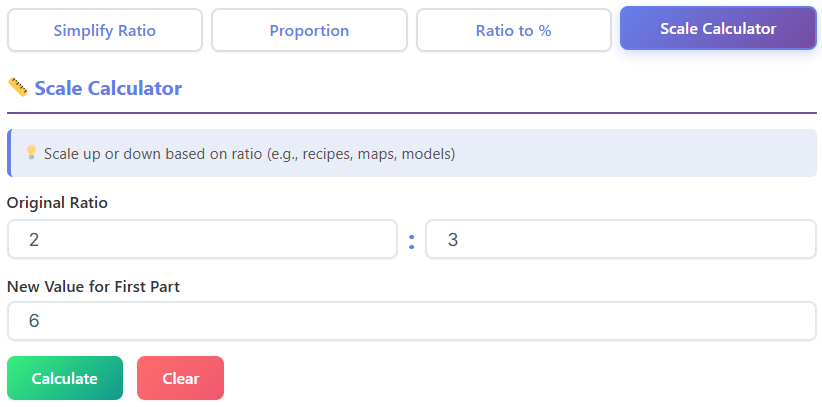
- What it does: It helps you convert between a scaled length and an actual length using a scale ratio. You enter the scale (e.g., 1:50) and either the measurement on the drawing or the real-world measurement, and it calculates the other.
- When to use it: This is indispensable for any project involving blueprints, maps, or scale models. It ensures accuracy when translating dimensions from paper to reality and vice versa.
- Who needs it:
- Architects and Engineers: This is their daily bread. They use it to determine real-world dimensions from blueprints and vice versa.
- Model Builders: Hobbyists building model cars, trains, or airplanes rely on this to get every component perfectly scaled.
- Cartographers and Geographers: Use it to calculate actual distances between points on a map.
- Interior Designers: To plan furniture layouts, they need to know if a sofa that is 2 inches on their floor plan will fit in the 10-foot space in the actual room.
- Short Example: A map has a scale of 1:100,000. You measure the distance between two cities on the map as 7 cm. Using the scale calculator, you enter the scale and the 7 cm map distance. The tool calculates the real distance as 700,000 cm, which it then conveniently converts to 7 kilometers.
This multi-tab functionality elevates the tool from a simple simplify ratio calculator to a comprehensive solution for a wide range of users.
Read more: https://swiftcalcu.com/triangle-calculator/
How Different People Benefit from a Simplify Ratio Calculator
The true value of a tool is measured by how it helps people in their daily lives. A simplify ratio calculator isn’t just for mathematicians; it has practical applications across many fields. Let’s look at how various professionals and individuals can leverage this tool.
For Students: The Homework Hero
Math homework can be a source of frustration. When faced with a problem like, “A bag contains 48 red marbles and 64 blue marbles. What is the ratio of red to blue marbles in its simplest form?” a student might get stuck. This is where a simplify ratio calculator becomes a learning aid.
The student can enter 48 and 64. The calculator instantly gives the answer: 3:4. But the real learning comes from the “Show Steps” section. It reveals that the greatest common divisor is 16, and that 48 ÷ 16 = 3 and 64 ÷ 16 = 4. This reinforces the method, turning the tool from a simple answer-giver into a virtual tutor. It helps them master how to determine ratio and builds their confidence.
For Teachers: The Lesson Planner’s Best Friend
Teachers are always looking for ways to make abstract concepts like ratios more engaging. A good simplify ratio calculator is a fantastic visual aid for the classroom. A teacher can project the tool onto a screen and work through problems with the class.
Imagine a teacher explaining how to get ratio from a word problem. They can input the numbers in real-time, and the students can see the simplified answer and the visual chart appear instantly. The bar chart in particular helps students “see” the relationship between the numbers. This makes lessons more interactive and memorable. For a teacher, this is the best type of ratio calculation online tool because it supports their teaching goals.
For Architects and Designers: The Precision Partner
In the world of design and architecture, precision is everything. A small miscalculation can lead to significant problems in the final product. Architects use the scale calculator tab constantly. When drafting a building, they must ensure every line on the blueprint corresponds perfectly to the real-world dimensions.
An interior designer planning a living room layout can use the proportion tab to see how a piece of furniture will look. If a sofa is 7 feet long and 3 feet deep (a ratio of 7:3), they can use the calculator to see what a smaller, proportionally identical loveseat’s dimensions would be. This reliance on an accurate ratio finder prevents costly mistakes and ensures the final design is harmonious.
For General Users: The Everyday Problem-Solver
You don’t need to be a professional or a student to benefit from a simplify ratio calculator. It has countless everyday uses.
- In the Kitchen: Doubling a recipe that calls for 3/4 cup of sugar and 1.5 cups of flour? The ratio is 0.75:1.5. A simplify ratio calculator quickly simplifies this to 1:2, making it much easier to scale.
- On the Road: Planning a road trip and your map says the scale is 1 inch to 50 miles? You can use the scale calculator to figure out your total journey distance.
- Financial Planning: Splitting a bill or dividing profits? A ratio calculator helps ensure the distribution is fair and accurate. If you and a partner invested $2,000 and $3,000 respectively in a project that made a $1,000 profit, you’d use the ratio 2:3 to divide the profit ($400 and $600).
This versatility makes the simplify ratio calculator an essential tool for anyone who deals with numbers.
A Step-by-Step Walkthrough: Using the Simplify Ratio Calculator
Let’s do a simple, practical walkthrough to see just how intuitive the tool is. Our goal is to simplify the ratio 32:24.
- Navigate to the Tool: Open your web browser and go to the website hosting the simplify ratio calculator, such as SwiftCalcu.com.
- Locate the Input Fields: You’ll immediately see the “Simplify Ratio” tab is active. There are two boxes, likely labeled ‘A’ and ‘B’, separated by a colon.
- Enter Your Numbers: Click on the first box and type “32”. Click on the second box and type “24”. The screen will now show
32 : 24. - Click Calculate: Press the large “Calculate” button located just below the input fields.
- View the Results: Instantly, the result box will update to show the simplified ratio:
4 : 3. - Understand the Process (Optional): Below the result, click on “Show Steps.” A detailed explanation will appear. It will state:
- The Greatest Common Divisor (GCD) of 32 and 24 is 8.
- Divide both numbers by the GCD:
- 32 ÷ 8 = 4
- 24 ÷ 8 = 3
- Therefore, the simplified ratio is 4:3.
- See the Visual: Look at the bar chart. You will see two bars—one for the number 4 and one for the number 3—giving you an immediate visual sense of their relationship.
The entire process takes seconds. This efficiency is why so many people are turning to an online simplify ratio calculator instead of figuring it out with pen and paper. It’s not just faster; it removes the chance of human error, which is crucial for professional applications. This tool truly simplifies the process of how you calculate a ratio between two numbers.
In conclusion, the modern simplify ratio calculator is far more than a simple utility. It’s a comprehensive, user-friendly platform that demystifies a fundamental mathematical concept. With its clean design, multi-functional tabs, and detailed explanations, it empowers users from all walks of life. It provides not just answers, but also understanding. By translating complex numbers into simple ratios, percentages, and scaled figures, it bridges the gap between abstract math and practical, real-world application. For anyone looking for a reliable and efficient ratio finder, this all-in-one tool is the definitive solution.
FAQs
What does it mean to “simplify a ratio”?
Simplifying a ratio means reducing it to its smallest whole number form. For example, a ratio of 10:20 can be simplified to 1:2 by dividing both numbers by their greatest common divisor, which is 10. A simplify ratio calculator does this automatically, making it easy to understand the fundamental relationship between two numbers without dealing with large or complex figures.
Can I use the calculator for more than two numbers?
Yes, most simplify ratio calculators are designed to handle ratios with multiple parts. For instance, if you’re mixing ingredients in a ratio of 25:50:75, the calculator can simplify this to 1:2:3. You simply input each number into its own field, and the tool will find the greatest common divisor for all the numbers to provide the simplest form.
Is a simplify ratio calculator useful for non-math purposes?
Absolutely. While it’s a great math tool, its real-world applications are vast. Cooks use it to scale recipes, designers use it to maintain proportions in their work, and business owners use it to analyze market share or financial data. Anyone who needs to compare quantities, from hobbyists building scale models to homeowners mixing cleaning solutions, can benefit from the speed and accuracy of a ratio calculator.

