
The Ultimate Guide to the Pythagorean Theorem Equation Solver
Whether you are a student tackling geometry homework, an architect designing a new structure, or a DIY enthusiast building a deck, calculating triangle sides correctly is crucial. Mathematics forms the foundation of the physical world, and at the heart of right-angled geometry lies one famous rule: the Pythagorean theorem. While doing the math by hand is great for practice, sometimes you need speed, accuracy, and visual confirmation. That is exactly where a pythagorean theorem equation solver becomes an essential tool in your digital kit.
In schools, students often struggle to visualize how side lengths relate to one another. In construction, a single miscalculation in a diagonal can throw off an entire project. Even in 3D modeling and game design, understanding distance requires these fundamental calculations. A reliable pythagorean theorem equation solver bridges the gap between abstract formulas and real-world results. It transforms raw numbers into clear, actionable data. Throughout this comprehensive guide, we will explore how to use every aspect of this tool, ensuring you get the most precise answers every time you use the pythagorean theorem equation solver.
We will walk through the interface, break down the specific calculators for finding hypotenuses and missing sides, and even explore 3D calculations. By the end of this article, you will be an expert at navigating the pythagorean theorem equation solver to solve any geometric problem that comes your way.
Understanding the Main Calculator Interface
When you first load the pythagorean theorem equation solver, you are greeted with a clean, intuitive interface designed for immediate use. We believe that math tools should not be cluttered or confusing. The goal of this pythagorean theorem equation solver is to provide answers instantly while helping you visualize the geometry behind the numbers.
The layout consists of distinct sections, each tailored to a specific type of calculation. At the top, you will see clear input fields where you can enter your known values. Unlike standard calculators that just show a number, our pythagorean theorem equation solver features a dynamic canvas area. As you type your dimensions, the tool reacts in real-time.
The visual feedback is a standout feature of the pythagorean theorem equation solver. If you enter a short base and a tall height, the diagram on the canvas adjusts to reflect those proportions. This immediate visual confirmation helps users verify that they have entered the right numbers. Whether you are on a desktop or a mobile device, the responsive design of the pythagorean theorem equation solver ensures the buttons are easy to tap and the text is easy to read.
Furthermore, the results panel isn’t just a static display. The pythagorean theorem equation solver breaks down the solution, showing you the intermediate steps. This is particularly useful for students who need to show their work. The interface is built to guide you through the process, making the pythagorean theorem equation solver not just a calculator, but a learning companion.
Section A: The Hypotenuse Calculator
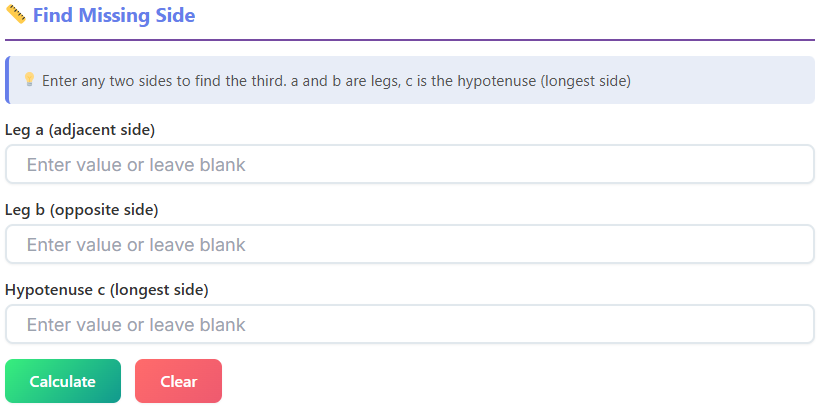
One of the most common uses for the pythagorean theorem equation solver is finding the long side of a right triangle, known as the hypotenuse. This side is opposite the right angle and is always the longest side. If you are searching for a hypotenuse calculator, this specific section of the tool is designed exactly for you.
To use this feature within the pythagorean theorem equation solver, you simply need to identify the two shorter sides of your triangle, usually labeled as side a and side b. You might know these as the “legs” of the triangle. Navigate to the inputs labeled “Side a” and “Side b” on the interface.
Once you enter these values, the pythagorean theorem equation solver instantly goes to work. You do not need to press a “calculate” button repeatedly; the logic happens as you type. The tool applies the classic formula:
a² + b² = c²
The pythagorean theorem equation solver squares your first input, squares your second input, adds them together, and then finds the square root of that sum. This process gives you the length of side c, the hypotenuse.
For those wondering how to figure out hypotenuse lengths manually, seeing this process automated can be a huge relief. The tool takes the potential for arithmetic errors out of the equation.
The canvas area is particularly helpful here. As the pythagorean theorem equation solver computes the result, it draws a right triangle to scale. If a is 3 and b is 4, you will see the classic 3-4-5 triangle appear. The hypotenuse will be labeled clearly with its calculated length. This visual aid confirms that you are using the correct formula for hypotenuse calculations.
Additionally, the pythagorean theorem equation solver provides more than just the length. It often displays the angles of the triangle as well, giving you a complete picture of the shape. This makes the pythagorean theorem equation solver indispensable for carpentry tasks where cutting wood at the correct angle is just as important as the length.
Section B: The Missing Side Calculator
Sometimes, you already know the length of the hypotenuse, but you need to find one of the legs. This requires a slightly different algebraic approach, and the pythagorean theorem equation solver handles it effortlessly. This mode serves as an excellent find the missing side of a triangle calculator.
In this section of the tool, flexibility is key. You can leave any one of the three input fields blank. If you enter values for side c (the hypotenuse) and side a, the pythagorean theorem equation solver is smart enough to detect that side b is the missing variable.
The computation changes automatically. Instead of adding squares, the pythagorean theorem equation solver subtracts the square of the known leg from the square of the hypotenuse. The interface will show you the step-by-step rearrangement of the formula, helping you understand the math behind the result.
This versatility makes the pythagorean theorem equation solver a robust tool for solving complex problems. For example, if you know a ladder is 10 feet long (hypotenuse) and the base is 6 feet from the wall (side a), you can instantly find out how high the ladder reaches (side b). The find the missing side of a triangle calculator function within the tool updates the canvas to show this tall, leaning triangle.
Beyond just the sides, this section of the pythagorean theorem equation solver provides comprehensive data about the triangle’s properties. It will calculate the Area and the Perimeter instantly. You will also see the precise values for Angle A and Angle B in degrees.
The visual canvas updates in real-time here as well. If you enter a hypotenuse that is shorter than the leg (which is mathematically impossible for a right triangle), the pythagorean theorem equation solver will often alert you or the canvas will indicate an error state, preventing you from working with invalid data. This safety check is a valuable feature of the pythagorean theorem equation solver.
Using the pythagorean theorem equation solver for missing sides saves significant time. Instead of rearranging equations on paper, you get an instant, visual, and numerical answer.
Exlpore more (Geometry Calculators)
📏 Ratio Calculator
Simplify ratios and calculate proportions
Open Calculator →
🔺 Triangle Calculator
Calculate triangle sides, angles, and area
Open Calculator →
⭕ Circle Calculator
Calculate diameter, circumference, and area
Open Calculator →
Section C: The Pythagorean Triples Generator
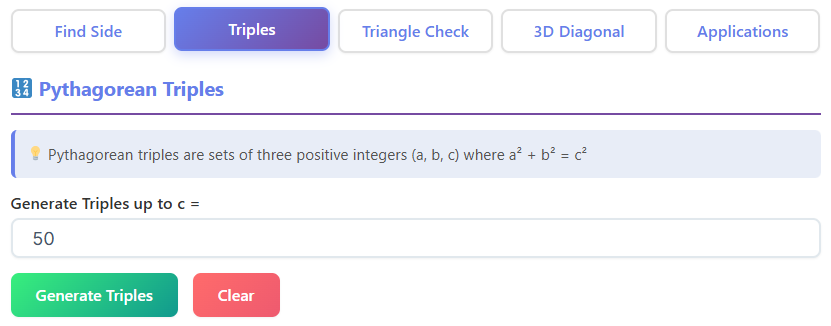
For students and math enthusiasts, recognizing patterns is a fun part of geometry. Pythagorean triples are sets of three whole integers that fit the equation perfectly, such as 3, 4, 5 or 5, 12, 13. The pythagorean theorem equation solver includes a dedicated generator for these numbers.
This feature is fantastic for generating practice problems or designing structures with clean, whole-number dimensions. To use it, you set a number limit or a range in the pythagorean theorem equation solver. For instance, you might want to see all triples where the values are under 100.
Once you set the limit, the pythagorean theorem equation solver processes the possibilities and outputs a clean list or grid layout of valid integer triples. You will see a total count of how many triples were found. This is a great way to verify your homework or find “nice” numbers for a construction project to avoid dealing with messy decimals.
The grid layout used by the pythagorean theorem equation solver is easy to scan. It presents the numbers clearly, often highlighting primitive triples (those that share no common factors) versus multiples. This section of the pythagorean theorem equation solver helps demystify the numbers, making geometry feel more approachable and less abstract.
You can explore more smart tools on our site here: https://swiftcalcu.com/
Section D: The Right Triangle Checker
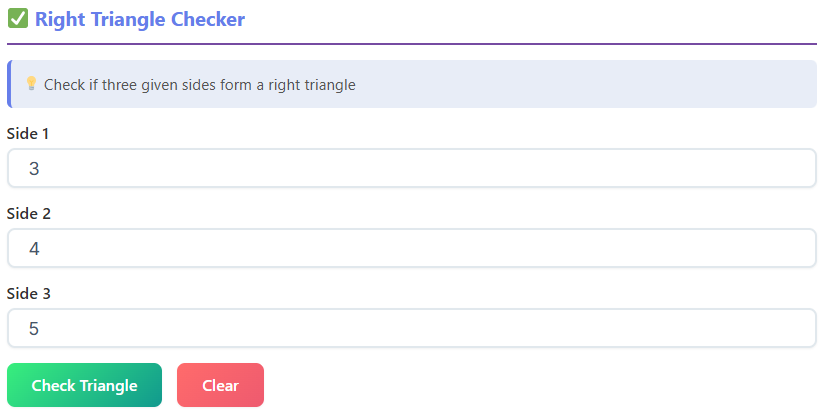
Have you ever measured three pieces of wood and wondered if they will form a perfect square corner? The Right Triangle Checker within the pythagorean theorem equation solver is designed to answer that specific question.
In this mode, you enter all three side lengths. You do not need to worry about which one is the hypotenuse; the pythagorean theorem equation solver auto-sorts your inputs. It identifies the longest side as the potential hypotenuse and the shorter two as legs.
Once the data is entered, the pythagorean theorem equation solver runs a comparison. It calculates a² + b² and compares it to c². Based on the result, it classifies your triangle into one of three categories:
- Right Triangle: If the values match perfectly, the pythagorean theorem equation solver confirms you have a 90-degree angle.
- Acute Triangle: If a² + b² is greater than c², the tool tells you the triangle is acute (all angles are less than 90 degrees).
- Obtuse Triangle: If a² + b² is less than c², the pythagorean theorem equation solver identifies it as obtuse (one angle is greater than 90 degrees).
The canvas draws the triangle based on your inputs, visually exaggerating the angle if it is not square, so you can see the deviation. This makes the pythagorean theorem equation solver perfect for geometry learners who need to understand the relationship between side lengths and angle types. It is also a handy quality-check tool for carpenters ensuring a frame is truly square.
Section E: The 3D Diagonal Calculator
Geometry does not stop at two dimensions, and neither does our pythagorean theorem equation solver. We have integrated a powerful 3D Diagonal Calculator for users working in three-dimensional space. This is essential for determining the space diagonal of a box, room, or cube.
In this section, you will see three input fields: Length, Width, and Height. These correspond to the x, y, and z axes. When you enter these values, the pythagorean theorem equation solver applies an extended version of the theorem:
d = √(l² + w² + h²)
The pythagorean theorem equation solver instantly computes the space diagonal—the distance from one bottom corner to the opposite top corner. But it does not stop there. The tool also calculates the face diagonals (the diagonal across the floor, or the walls) to give you a complete set of measurements.
Additional data points like the total Volume and Surface Area of the box are also displayed. This makes the pythagorean theorem equation solver incredibly useful for shipping and packaging, where you need to know if a long object will fit inside a specific box.
The canvas in this section draws a 3D wireframe box. It highlights the diagonal being calculated, helping you visualize the line through the center of the shape. Even for 3D shapes, the pythagorean theorem equation solver demonstrates that the fundamental principles of right triangles still apply. Architects and CAD students will find this feature of the pythagorean theorem equation solver particularly relevant to their work.
Internal Link Set #2 (Math Utility Calculators)
🎲 Combination Calculator
Calculate combinations and permutations
Open Calculator →
📉 Slope Calculator
Find slope of a line between two points
Open Calculator →
🔄 Rounding Calculator
Round numbers to specific decimal places
Open Calculator →
Section F: Real-Life Applications
The true power of the pythagorean theorem equation solver lies in its versatility. It isn’t just for abstract math problems; it solves real-world challenges. This tool includes specialized modes tailored to common daily scenarios.
1. Ladder Against a Wall
Safety is paramount when setting up a ladder. The pythagorean theorem equation solver helps you determine the safe length required. By entering the distance from the base of the wall and the height you need to reach, the tool uses the solver logic to tell you exactly how long your ladder must be. It also calculates the angle the ladder makes with the ground. This ensures you aren’t setting it up too steep or too shallow. The pythagorean theorem equation solver effectively prevents accidents by providing precise geometric data.
2. TV and Screen Sizes
Screens are sold by their diagonal measurement, which can be confusing. If you have a specific space in your entertainment center, you need to know the width and height, not just the diagonal. Using the pythagorean theorem equation solver, you can input the width and height of the space to see what diagonal screen size fits. Alternatively, if you know the screen size (diagonal) and aspect ratio, the pythagorean theorem equation solver can help you figure out the actual dimensions of the TV. This saves you the hassle of buying a TV that is too big for your stand.
3. Ramp Calculation
Building a wheelchair ramp or a loading ramp requires specific slopes for safety and compliance. The pythagorean theorem equation solver is perfect for this. You input the vertical rise (how high the step is) and the horizontal run (how much space you have). The tool calculates the length of the ramp surface needed. More importantly, the pythagorean theorem equation solver provides the angle of the slope. If the angle is too steep, you know immediately that you need to extend the horizontal run. This application of the pythagorean theorem equation solver ensures accessibility projects meet necessary standards.
4. Walking Shortcut (The “Desire Path”)
We have all cut across a park diagonally to save time. This is the Pythagorean theorem in action. If you walk 100 meters North and then 100 meters East, you have walked 200 meters. But what if you cut straight across? The pythagorean theorem equation solver can calculate that direct path. By entering your North/South distance and East/West distance, the tool shows you the straight-line distance. You can see exactly how much distance—and time—you save. This mode of the pythagorean theorem equation solver is a fun way to apply math to your daily commute or exercise routine.
Why Accuracy Matters
In every one of these sections, the accuracy of the pythagorean theorem equation solver is guaranteed by the underlying mathematical logic. When you rely on mental math or rough estimates, errors creep in. A rounding error in the early stages of a construction project can compound into a major structural issue later on. The pythagorean theorem equation solver eliminates this risk.
For students, the trust lies in the step-by-step breakdown. It allows you to audit your own work. If your manual answer differs from the pythagorean theorem equation solver, you can look at the intermediate steps shown on the screen to find exactly where you went wrong. This feedback loop is essential for learning.
For professionals, the speed of the pythagorean theorem equation solver allows for rapid prototyping. You can test multiple scenarios—”What if the ramp was 2 feet longer?” or “What if the box was 5 inches wider?”—in seconds. The pythagorean theorem equation solver updates instantly, allowing for an efficient workflow that static calculations cannot match.
Optimizing Your Workflow
To get the most out of the pythagorean theorem equation solver, it helps to have your measurements ready. Whether you are measuring in inches, centimeters, meters, or feet, the math remains the same. The logic used by the pythagorean theorem equation solver is unit-independent, meaning as long as you are consistent with your inputs (e.g., all inputs in inches), your output will be in that same unit.
The clean, text-based results can be easily copied and pasted into other documents, homework assignments, or project blueprints. This interoperability makes the pythagorean theorem equation solver a seamless part of any digital workspace.
Furthermore, the pythagorean theorem equation solver is designed to be lightweight. It loads quickly even on slower connections, ensuring that whether you are on a remote job site or in a classroom with spotty Wi-Fi, you have access to critical geometric calculations.
From the basic hypotenuse calculation to complex 3D diagonals, the pythagorean theorem equation solver covers the entire spectrum of right-angled geometry. It empowers users to move beyond guessing and start building, solving, and learning with precision. By centralizing these various tools—hypotenuse finding, missing side solving, triple generation, and real-world modeling—into one interface, the pythagorean theorem equation solver stands out as a comprehensive solution for modern math challenges.
Remember that while the math is ancient, the way we interact with it is evolving. The pythagorean theorem equation solver represents that evolution, blending rigorous mathematical proof with modern, user-friendly design. Whether you are checking a simple corner or planning a complex architectural feature, the pythagorean theorem equation solver is the reliable digital assistant you need to ensure every angle is right and every line is true.
Advanced Tips for Students
If you are using the pythagorean theorem equation solver for homework, try to predict the answer before hitting the final key. Use the tool to check your estimation skills. If you see a triangle with sides 5 and 12, guess the hypotenuse. Then, watch the pythagorean theorem equation solver confirm it is 13. This active engagement helps reinforce your memory of common triples.
Also, pay attention to the decimal outputs. The pythagorean theorem equation solver often provides high-precision decimals. In many school problems, you are asked to round to the nearest tenth or hundredth. Seeing the full number in the pythagorean theorem equation solver helps you understand how rounding works and why it is necessary for irrational numbers like the square root of 2.
The visualization is also a key study aid. If you are struggling to understand what “opposite” and “adjacent” mean in trigonometry, look at the canvas on the pythagorean theorem equation solver. Seeing the sides labeled in relation to the angles provides a concrete example that text books sometimes fail to convey clearly.
Final Thoughts on Design
The design philosophy behind the pythagorean theorem equation solver is “functionality first.” We removed unnecessary graphics and heavy code to ensure the tool performs its primary job: solving equations. However, we maintained the canvas because geometry is inherently visual. The pythagorean theorem equation solver strikes a balance between a raw calculator and a graphic educational tool.
Every button, input field, and result line in the pythagorean theorem equation solver has been placed for maximum usability. We understand that when you need a calculation, you need it now. You do not want to navigate through endless menus. That is why all the core functions of the pythagorean theorem equation solver are accessible from the main view.
By mastering this tool, you are not just getting answers; you are developing a deeper intuition for geometry. The pythagorean theorem equation solver is here to handle the heavy lifting, letting you focus on the application of the answers, whether that is passing a test, building a house, or simply satisfying your curiosity about the world of shapes.
FAQs
What is a Pythagorean theorem equation solver?
A Pythagorean theorem equation solver is a digital tool designed to help you quickly calculate the sides of a right triangle. Instead of doing the math by hand, you can enter the lengths of the sides you know, and the solver will instantly find the missing one. It’s perfect for students, builders, and anyone needing a fast, accurate answer for geometry problems.
How do I find the hypotenuse with this tool?
To find the hypotenuse (the longest side of a right triangle), you just need to use the hypotenuse calculator feature within the Pythagorean theorem equation solver. Simply enter the lengths of the two shorter sides, often called ‘a’ and ‘b’. The tool automatically applies the formula a² + b² = c² and gives you the length of the hypotenuse ‘c’ in real-time, often with a helpful visual diagram.
Can the Pythagorean theorem equation solver work for 3D shapes?
Yes, it can. Our Pythagorean theorem equation solver includes a 3D Diagonal Calculator. You can enter the length, width, and height of a box or room, and the tool will calculate the space diagonal—the distance from one corner to the opposite corner. This feature is extremely useful for tasks in architecture, carpentry, or even for figuring out if a long item will fit inside a box.

