
Margins:
• Gross Profit = Revenue – COGS
• Gross Margin % = (Gross Profit / Revenue) × 100
• Net Profit = Revenue – COGS – Operating – Other Expenses
• Net Margin % = (Net Profit / Revenue) × 100
Markup:
• Markup = Selling Price – Cost Price
• Markup % = (Markup / Cost Price) × 100
• Profit Margin % = (Markup / Selling Price) × 100
How to Calculate Gross Profit Margin
How to Calculate Gross Profit Margin: The Complete Guide
Learn how to calculate gross profit margin accurately with our simple guide and calculator tool. Master the formulas to boost your business profitability today.
Running a business is a bit like driving a car. You can have the best engine (product) and the sleekest design (branding), but if your dashboard isn’t giving you accurate readings, you’re going to run out of gas. In business, your “gas” is profit. And just like you need to know your MPG, you absolutely need to know how to calculate gross profit margin. It’s not just a fancy accounting term; it’s the heartbeat of your financial health.
Whether you are a seasoned CEO or just starting your first Etsy shop, understanding the numbers behind your sales is non-negotiable. If you don’t know where your money is going, you can’t keep it. This guide walks you through our “Profit Margin Calculator — Analyze Business Profitability,” a tool designed to take the headache out of math so you can focus on growing your empire.
We’re going to break down every single part of this tool. By the end, you won’t just know how to use it; you’ll understand exactly how to calculate gross profit margin and why it matters for your bottom line.
Understanding the Profit Margin Calculator
Let’s start right at the top. The tool is titled Profit Margin Calculator — Analyze Business Profitability. That sounds serious, but it’s actually incredibly friendly. This header is your signpost. It tells you immediately that you are in the right place to get a deep dive into your business’s financial performance.
This tool isn’t just for Wall Street types. It is built for everyone.
- Business Owners: To see if the business is sustainable.
- Sellers & Ecommerce Managers: To price products correctly on Amazon or Shopify.
- Accountants: For quick checks without opening heavy spreadsheet software.
- Freelancers: To ensure project rates actually cover your time and tools.
- Decision-Makers: To decide if a new product line is worth the investment.
When you look at this title, know that it’s your command center. Learning how to calculate gross profit margin starts here, giving you the power to analyze profitability in seconds rather than hours.
The Yellow Info Box: Your Quick Start Guide
Right below the title, you’ll notice a yellow info box. Think of this as the “TL;DR” (Too Long; Didn’t Read) of the calculator. It briefly outlines what you can do here: calculate gross margin, net margin, markup, and gain profitability insights.
Why is this little yellow box important? Because in the rush of daily business, you might forget that margin and markup are different beasts. This box sets the stage. It reminds you that this tool helps you understand your costs, your pricing strategy, and ultimately, your profitability. It’s a gentle nudge that says, “Hey, we’re going to look at the whole picture, not just one number.” It prepares you to think about how to calculate gross profit margin in the context of your wider business goals.
Navigating the Tabs: Margins vs. Markup
The calculator is split into two distinct tabs, and understanding the difference is crucial.
📊 Margins Tab
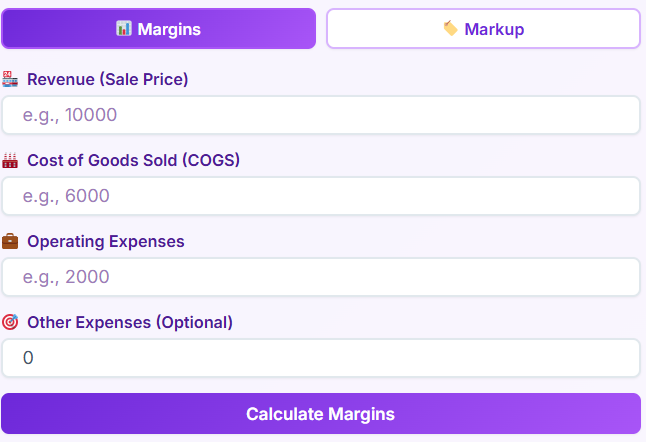
This is the default view. You use this tab when you want to work backward from your revenue. If you already have sales data and cost data, and you want to know how much you actually kept, this is where you live. It is designed for calculating gross margin, net margin, and operating margin. You’ll be entering things like Revenue, Cost of Goods Sold (COGS), and various expenses.
🏷️ Markup Tab
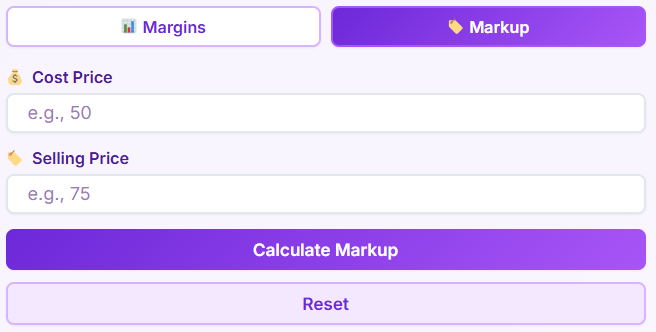
Clicking over to the Markup Tab changes the perspective. This is often used for forward-planning. If you buy a product for $10 and want to know what to sell it for to make a 20% profit, you use markup. It deals with cost-price and selling-price based calculations. It helps users distinguish between the markup percentage (what you add to the cost) and the margin percentage (what you keep from the sale).
The Difference in Simple English:
Think of it like slicing a pizza.
- Margin is the slice of the pizza you get to eat relative to the whole pizza (the sale price).
- Markup is the extra dough you add on top of the cost to make the pizza.
If you confuse these two, you might underprice your products and lose money. That’s why we separate them clearly, helping you master how to calculate gross profit margin without getting tripped up by terminology.
Detailed Breakdown: The Input Fields
Now, let’s get our hands dirty with the data entry. The tool is only as good as the numbers you feed it. Here is what every field means and how it impacts your results.
Margins Tab Inputs
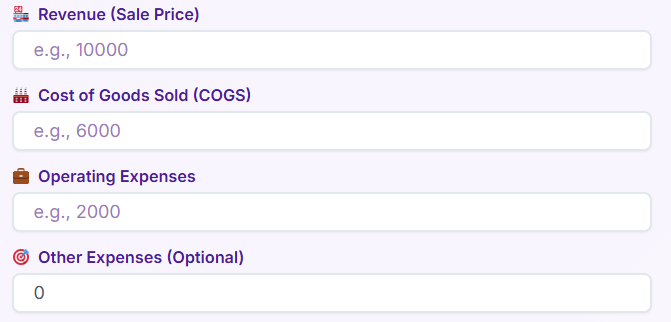
1. Revenue (Sale Price)
This is the big number. The top line. It represents the total amount of money brought in from sales before any expenses are taken out. If you run a coffee shop, this is the total cash in the register at the end of the day. Without accurate revenue, you cannot learn how to calculate gross profit margin.
2. COGS (Cost of Goods Sold)
This is the direct cost of producing the goods you sold.
- Bakery Example: Flour, sugar, eggs, and the packaging for the cupcakes.
- Retail Example: The wholesale price you paid for the t-shirts you sold.
This does not include rent or marketing (usually). It’s strictly the cost to make the thing you sold. This is the most critical variable when figuring out how to calculate gross profit margin.
3. Operating Expenses
These are the costs of keeping the lights on. Rent, utilities, payroll for administrative staff, internet bills, and marketing costs. These don’t change much whether you sell 1 unit or 100 units (usually). They are vital for calculating your operating and net profit, taking you a step deeper than just gross profit.
4. Other Expenses (Optional)
Sometimes life happens. Maybe you had a one-time legal fee, a tax penalty, or a repair bill for a delivery van. You can put those irregular costs here to get a true “Net Profit” picture.
Markup Tab Inputs
1. Cost Price
How much did it cost you to get the item into your warehouse? If you are a wholesaler importing electronics, this is the factory price plus shipping and duties.
2. Selling Price
What is the sticker price for the customer? If you are a reseller on eBay, this is your “Buy It Now” price.
Understanding how these inputs interact is key. If you are a manufacturer, your cost price includes raw materials and labor. If you are a dropshipper, your cost price is just what you pay the supplier. The calculator adapts to all these scenarios to show you how to calculate gross profit margin regardless of your business model.
Action Time: The Buttons
Once you’ve entered your data, you need to make the magic happen.
Calculate Margins Button:
Located on the Margins tab. When you click this, the tool takes your Revenue and subtracts the COGS to show you how to calculate gross profit margin. It then subtracts the other expenses to find your net profit. It runs all the math instantly so you don’t have to remember the formulas.
Calculate Markup Button:
Located on the Markup tab. Clicking this compares your Cost Price and Selling Price. It instantly tells you how much you’ve marked up the product and what margin that results in.
Reset Buttons:
Made a mistake? Want to start fresh with a new product line? The Reset button wipes the slate clean, clearing all fields so you can start a new calculation without refreshing the page.
When Things Go Wrong: Error Handling
We built this tool to be smart. It knows when numbers don’t add up.
Red Error Box:
If you try to calculate without entering a required field, or if you enter values that make no mathematical sense (like a negative cost price in a specific context where it shouldn’t be), a red error box appears.
It might say “Please enter valid values.” This is a safety net. It prevents you from making business decisions based on bad math. If you type in letters where numbers should be, or leave the Revenue field empty, the tool halts and flags it. It ensures that when you are learning how to calculate gross profit margin, you are doing it with valid data.
Reading the Results: What Do The Numbers Mean?
You clicked calculate. Now you have a set of cards with numbers on them. Let’s decode them.
Margin Tab Results
Gross Profit
This is your Revenue minus your COGS. It is the raw logic of commerce.
- Scenario: You sold $1,000 of wood furniture. The wood cost $400. Your Gross Profit is $600.
This number tells you if your core business activity is profitable before overheads.
Gross Margin %
This is the percentage of revenue that exceeds the COGS. It is the most common metric used to benchmark efficiency. If you want to know how to calculate gross profit margin effectively, this percentage is your answer. A higher percentage means you keep more of every dollar earned.
Operating Profit
This takes your Gross Profit and subtracts Operating Expenses (rent, salaries). It tells you if your business model works after paying the bills.
Operating Margin %
This shows what percentage of revenue is left after paying for variable costs and fixed operating costs.
Net Profit
The bottom line. Revenue minus ALL expenses (COGS, Operating, Other). This is the cash you can actually put in your pocket or reinvest.
Net Margin %
The ultimate efficiency score. If this is 10%, it means for every dollar you sell, your company keeps 10 cents clear and free.
Markup Tab Results
Markup Amount
The actual dollar difference between cost and sale price. If you buy for $50 and sell for $80, the markup amount is $30.
Markup %
This is the percentage increase on the cost price.
Profit Margin %
Wait, why is this here? Because markup and margin are related! This result shows you the margin percentage derived from your markup. It connects the dots, showing you how to calculate gross profit margin even when you started with markup math.
Price Ratio
This shows the multiple of the cost. A ratio of 2.0 means you are selling for double the cost.
📋
Invoice Generator
Create professional invoices for your business
Open Tool →
💹
Sales Commission Calculator
Calculate sales commissions and bonuses
Open Calculator →
📊
Inventory Turnover Calculator
Calculate inventory turnover ratio and days
The Math Behind the Magic: Formula Box Explained
We believe in transparency. We don’t just give you the answer; we show you the work. The “Formula Box” at the bottom displays the equations used. Even if you use the tool, knowing these formulas helps you understand how to calculate gross profit margin manually if you ever need to.
Margin Formulas
Gross Profit = Revenue − COGS
- Simple English: Money In minus Cost of Goods.
- Example: A shoe store sells a pair for $100 (Revenue). They paid the brand $40 (COGS). Gross Profit = $100 – $40 = $60.
Gross Margin % = (Gross Profit / Revenue) × 100
- Simple English: What chunk of the sale price is actually profit?
- Example: Using the shoe store above: ($60 / $100) x 100 = 60%. This is the classic example of how to calculate gross profit margin.
Net Profit = Revenue − COGS − Operating Expenses − Other Expenses
- Simple English: Money In minus EVERYTHING that went out.
- Example: Revenue $100. COGS $40. Rent/Salaries allocated to this sale $30. Tax $5. Net Profit = $100 – $40 – $30 – $5 = $25.
Net Margin % = (Net Profit / Revenue) × 100
- Simple English: The percentage of the sale that is pure profit.
- Example: ($25 / $100) x 100 = 25%.
Markup Formulas
Markup = Selling Price − Cost Price
- Simple English: How much did you bump up the price?
- Example: You buy a mug for $5. You sell it for $15. Markup is $10.
Markup % = (Markup / Cost Price) × 100
- Simple English: The percentage increase relative to the cost.
- Example: ($10 / $5) x 100 = 200%. You marked it up 200%.
Profit Margin % = (Markup / Selling Price) × 100
- Simple English: This converts your markup back into margin terms.
- Example: ($10 / $15) x 100 = 66.6%. Even though you marked it up 200%, your margin is 66.6%. This distinction is vital when learning how to calculate gross profit margin.
Why Does Accurate Calculation Matter?
You might be thinking, “Can’t I just eyeball it?” The short answer is no.
In the food industry, margins are razor-thin. A restaurant manager needs to know exactly how to calculate gross profit margin on every dish. If the price of avocados goes up, the margin on the guacamole dips. If they don’t adjust the menu price, they lose money on every order.
In ecommerce, shipping costs can kill you. You might have a great markup, but if you don’t factor in returns or packaging (COGS), your gross margin shrinks.
Service businesses, like consulting, have high margins because COGS are low (mostly time), but high operating expenses.
Knowing how to calculate gross profit margin allows you to:
- Price Correctly: Ensure you aren’t selling at a loss.
- Control Costs: Spot if your supplier prices are eating your profits.
- Plan Growth: Know how much cash you generate to reinvest.
Common Pitfalls to Avoid
When learning how to calculate gross profit margin, people often make a few specific mistakes.
Confusing Margin with Markup
We mentioned this earlier, but it bears repeating. A 50% markup is NOT a 50% margin.
- Cost: $100.
- Markup 50% = Sell for $150.
- Profit is $50.
- Margin is $50 / $150 = 33.3%.
If you needed a 50% margin to cover your rent, and you only used a 50% markup, you are in trouble. Our tool helps you visualize this difference instantly.
Forgetting Variable Costs
Some sellers forget that credit card processing fees or packaging tape count as costs. If you exclude these, your calculation for how to calculate gross profit margin will be artificially high, giving you a false sense of security.
Ignoring Discounts
If you run a sale, your revenue drops, but your COGS stays the same. Your margin will plummet. You need to run the numbers with the discount price to see if the sale is worth it.
Advanced Tips for Using the Calculator
Once you master the basics of how to calculate gross profit margin, you can use the tool for “what-if” scenarios.
- Scenario A: What if I switch to a cheaper supplier?
Enter a lower COGS in the Margin tab and see how your Gross Margin % jumps. - Scenario B: What if I raise my prices by 5%?
Increase the Revenue (Sale Price) and watch the Net Profit expand. - Scenario C: Can I afford a new office?
Add the new rent to “Operating Expenses” and see if your Operating Margin stays healthy.
This kind of forecasting is where the real power lies. It transforms the tool from a simple calculator into a strategic advisor.
Conclusion: Mastering Your Metrics
Financial literacy is the secret weapon of successful entrepreneurs. It’s not about loving math; it’s about loving the clarity that math provides. When you know how to calculate gross profit margin, you are no longer guessing. You are navigating with a GPS.
This Profit Margin Calculator is designed to be your daily companion. Whether you are checking the viability of a new product launch, auditing your quarterly performance, or just trying to understand why your bank account isn’t growing as fast as your sales, these numbers hold the answer.
Remember, revenue is vanity, profit is sanity, and cash is king. By focusing on how to calculate gross profit margin, you prioritize the “sanity” part of your business. You ensure that every sale contributes to the health of your company.
So, go ahead. Input your numbers. Play with the scenarios. Use the profit margin formula. Figure out how do you calculate gross profit for your specific niche. Utilize the margin calculator to check your assumptions. Master the margin calculation formula.
The more comfortable you get with these metrics, the more confident you will be in your business decisions. Stop hoping for profit and start calculating it. Your business—and your future self—will thank you.
FAQs
Is gross profit margin the same thing as markup?
No, and confusing the two is one of the most common mistakes new business owners make! While they both deal with the same numbers (your cost and your price), they tell two different stories.
Think of Markup as looking forward: “I bought this for $50, and I’m adding $25 on top to sell it.” That’s a 50% markup.
Think of Gross Profit Margin as looking backward at the final sale: “I sold this for $75. Out of that $75, I got to keep $25.” That’s a 33% margin.
If you set your prices based on a 50% markup thinking you’ll get a 50% margin, you will end up with less profit than you planned. Always double-check your math to make sure you’re hitting your actual financial goals.
What is considered a “healthy” gross profit margin?
This is the million-dollar question, but the answer depends entirely on what you sell. There isn’t a single magic number for everyone.
Retail and Ecommerce: Margins are often tighter, usually between 20% and 50%, because of the high cost of buying goods and shipping.
Restaurants: Food costs are high, so gross margins need to be around 70% to cover the expensive staff and rent.
Service Businesses & Consultants: Margins are often very high (sometimes 80%+) because you aren’t buying physical products—you are selling your time and expertise.
Instead of aiming for an arbitrary number, research the benchmarks for your specific industry. As long as your margin covers your operating expenses and leaves you with a net profit, you are on the right track.
Why does my gross profit look great, but I’m still not making money?
This is a frustrating situation, but it’s very common. It usually happens because while your Gross Profit (Revenue minus Cost of Goods Sold) is healthy, your Operating Expenses are too high.
Remember, gross profit only accounts for the direct cost of the product itself (like materials). It doesn’t look at rent, marketing ads, software subscriptions, insurance, or your own salary. If you have a huge gross margin but spend too much on Facebook ads or a fancy office, your Net Profit (the money you actually keep) will disappear.
If this is happening to you, dig into your operating expenses line-by-line to see where the “leak” is, rather than just raising your prices.

