
Enter Your Details
Activities
Total Calories Burned
Total Duration: 0 min
Activity Breakdown
Master Your Metabolism: A Pro’s Guide to Using the Running Calories Burned Calculator
If there is one question I have heard more than any other in my fifteen years as a sports physiologist and fitness trainer, it is simply: “Did I burn enough?” We live in an era of data obsession. We wear trackers on our wrists, we strap monitors to our chests, and we obsess over the digital readouts on treadmill displays. Yet, despite all this technology, most people are still guessing when it comes to their energy expenditure. They finish a grueling session, look at a generic number, and wonder if it’s accurate. That is precisely why I want to walk you through the nuances of using a dedicated running calories burned calculator.
This isn’t just about punching numbers into a box; it is about understanding the biological engine that is your body. Whether you are training for a marathon, trying to shed the last five pounds, or simply curious about your daily movement, accuracy is your best friend. Throughout my career, I’ve seen athletes under-fuel because they overestimated their burn, and weight-loss clients stall because they underestimated their intake. The solution lies in using the right tools correctly.
Below, I am going to guide you through every single feature of our specific running calories burned calculator. Think of this as a private consultation. Pull up a chair, grab your workout log, and let’s dive into the physiology of your burn.
Setting the Foundation: Units and Weight
When you first load the running calories burned calculator, the interface is clean and inviting, but do not let the simplicity fool you. The math happening in the background is robust. The very first decision you need to make involves the unit selector. You have the option to toggle between Metric (kilograms/kilometers) and Imperial (pounds/miles).
While this seems trivial, I always tell my clients to stick to the unit they “think” in. If you weigh yourself in pounds, use Imperial. Converting in your head introduces error, and we want precision here. Once you have selected your preferred system, you move to the Weight Input field.
Here is a piece of physiological reality that many people overlook: mass moves mass. The heavier you are, the more energy is required to move your body through space. I remember working with a defensive lineman who weighed 300 pounds and a marathoner who weighed 125 pounds. They could run side-by-side at the same speed, but the lineman was burning significantly more fuel simply due to the physics of moving that weight. This is why accurate weight entry is non-negotiable.
Do not use your “goal weight” here. Do not use the weight on your driver’s license from five years ago. Enter what you weigh today. If you are using this tool as a steps to calories calculator, the accuracy of your weight input determines whether the output is a useful metric or a fantasy. For the most precise results, weigh yourself in the morning, after using the restroom and before eating, and use that number.
The Heart of the Tool: Activity Selection and MET Values
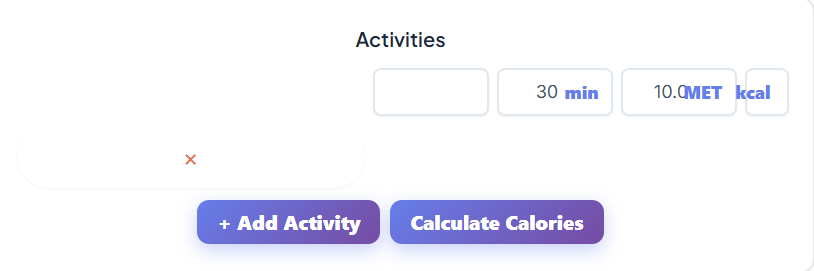
Now we arrive at the engine room of the running calories burned calculator: the Activity List. When you click the dropdown menu, you aren’t just seeing a list of sports; you are looking at a database of MET values.
MET stands for Metabolic Equivalent of Task. To put it in human terms—without getting too bogged down in the textbook definitions I used to memorize in grad school—one MET is the energy you burn sitting still, staring at a wall (roughly 1 calorie per kilogram of body weight per hour). Every activity in this list is a multiple of that resting state.
When you scroll through, you will see options ranging from light walking to sprinting. This is where the tool’s versatility shines. While the primary function is calculating running expenditure, the database allows it to double as a highly effective walking calories calculator.
Let’s say you went for a light jog. You would find the specific running speed that matches your effort. Perhaps you maintained a 5 mph pace. You select that from the list. But what if your workout was a mix? This is where the “Add Activity” button becomes your best friend. Real-world workouts are rarely monotone. You might do a warm-up walk, a tempo run, and a cool-down jog.
With this calculator, you don’t have to average it all out. You click “Add Activity” to stack them. You can select “Walking, 3.0 mph” for your warm-up, then add a second line for “Running, 6 mph,” and a third for your cool-down. This mimics the actual physiological demand of your session much better than a single static number.
I often have clients ask, “What about my lunch break stroll?” They want to know the “1 hour walk calories” total to see if it offsets their afternoon snack. By selecting a moderate walking pace from the list and stacking it with their morning run, they get a holistic view of their day’s output.
Duration: The Multiplier
Once you have selected your activity—let’s say “Running, 6 mph (10 min/mile)”—you need to input the Duration. The field accepts hours, minutes, and seconds.
In my experience, duration is where people tend to fib a little, even to themselves. We like to round up. We ran for 26 minutes, but we enter 30. While four minutes seems negligible, over the course of a month, those phantom minutes add up to phantom calories. When using the running calories burned calculator, be honest with the clock. If you stopped at the traffic light for two minutes, exclude that time.
The relationship between duration and intensity is inverse. You can run incredibly hard for a short time, or slow and steady for a long time. This tool captures that dynamic perfectly. For example, if you are curious about how many calories does walking 3 miles burn, the answer depends heavily on how long it takes you to walk those three miles. If you input the duration accurately alongside the activity pace, the calculator bridges the gap between distance and time.
The Expert Feature: MET Adjustment
This is my favorite feature, and it is the one that sets this specific running calories burned calculator apart from the generic widgets you find on random health blogs. It is the MET Adjustment input.
Standard MET values are averages based on laboratory settings. But you don’t run in a lab; you run in the real world. Factors like wind resistance, incline, and terrain difficulty make a massive difference. Running 6 mph on a flat road is hard; running 6 mph up a 5% grade is punishing.
If you are an advanced user, you can use the MET adjustment to reflect this reality. If you know your run was particularly hilly, or you were running into a stiff headwind, you can manually increase the MET value slightly. Conversely, if you were running downhill, you might lower it.
This feature allows you to turn the tool into a more personalized walking calories calculator as well. If you were hiking with a heavy backpack (rucking), the standard “walking” MET doesn’t cut it. You can bump up the MET value to account for the extra load. This level of customization is something I usually only see in professional-grade software used in physiology labs.
Visualizing the Burn: Totals and the Doughnut Chart

Once you have inputted your weight, selected your activities, adjusted your METs, and set your durations, the magic happens in the “Total Calories Burned” section.
This number is your golden metric. But the tool gives you more than just a raw digit; it provides a visual breakdown via a Doughnut Chart. This is incredibly psychological. When you see a visual representation of your effort, it validates the work.
If you used the multi-activity feature—perhaps combining a run, a swim, and a walk—the chart breaks down exactly which portion of your total burn came from which activity. You might be surprised to see that your “cool down” contributed more to your daily total than you thought.
This visual aid is particularly helpful for my clients who focus on NEAT (Non-Exercise Activity Thermogenesis). They might use the tool to answer how many calories burned walking throughout the workday compared to their 30-minute morning jog. Often, the chart reveals that the cumulative walking throughout the day burns nearly as much as the dedicated cardio session. It is a powerful realization that encourages more movement outside of the gym.
Practical Application: Real-World Scenarios
To help you get the most out of this running calories burned calculator, let’s look at how I would guide three different types of clients to use it.
The Marathoner
For a runner in marathon prep, pacing and fueling are critical. They can’t afford to guess. I would have them use the ⏱️ Pace Calculator — Calculate running pace for races and training to determine their exact training speeds first. Once they know they ran at exactly an 8:30 pace, they can find the corresponding MET activity in our list. They would stack their “Long Run” activity with their “Warm Up” and “Cool Down” activities. By checking the total duration and total calories, they can plan their post-run meal with precision, ensuring they replenish glycogen without overeating.
The Weight Loss Walker
I often work with clients who are intimidated by running. They ask me, “Is walking enough?” I use this tool to show them the math. We might set up a scenario to see how many calories does walking 3 miles burn at a brisk pace. We input their weight, select “Walking, 3.5 mph,” and input the time it takes them to cover that distance. Then, just for comparison, I might show them the “1 hour walk calories” total if they slowed down to a window-shopping pace. The difference is usually stark, and it motivates them to keep the intensity up. This transforms the tool from a simple running calories burned calculator into a motivation machine.
The Hybrid Athlete
For the CrossFitter or triathlete, the “Add Activity” button is essential. They might row for 10 minutes, run for 20, and do calisthenics for 15. They can find “Rowing,” “Running,” and “Calisthenics” in the activity list, assign the correct duration to each, and get a “Total Duration” that matches their workout time. The resulting calorie total is far more accurate than what a wrist tracker guesses based on heart rate alone, because it is based on the physics of the movements performed.
Data Portability: CSV Download, Print, and Reset
We live in a world where data is only useful if we can track it over time. This running calories burned calculator includes a CSV Download button. This is a feature I insist my serious athletes use.
By downloading your results after every major workout, you can build a spreadsheet of your energy expenditure over weeks and months. You can correlate this data with your weight trends. If you see you are burning 3,000 calories a week through exercise but not losing weight, you know the issue lies in the kitchen, not the gym.
There is also a Print option. It sounds old school, but I have clients who love to print out their “Big Burn” days and stick them on the fridge as a badge of honor. Seeing that you burned 1,200 calories on a Saturday long run is a great deterrent against late-night snacking.
And finally, the Reset button. It clears the slate. This is useful when you want to quickly compare hypothetical scenarios. “What if I ran for 45 minutes instead of 30?” Click reset (or just adjust the inputs), and you have your answer.
Beyond the Burn: The Holistic View
While this article focuses on the running calories burned calculator, it is vital to remember that calories are just one piece of the health puzzle. You cannot out-exercise a bad diet, and you cannot calculate your way out of poor health markers.
For instance, high-intensity running is fantastic for calorie burn, but it puts stress on the cardiovascular system. It is wise to occasionally check in with other metrics. I often refer clients to the 🩺 Blood Pressure Calculator — Track and understand blood pressure readings to ensure their training load is improving their heart health, not just shrinking their waistline.
Furthermore, obsessing over numbers can sometimes become a stressor in itself. If you find yourself checking the running calories burned calculator compulsively, take a step back. Exercise should be a stress reliever. If you are feeling overwhelmed, you might want to visit the 🧘 Stress Calculator — Assess your stress levels and get recommendations to keep your mental game as strong as your physical game.
The Nuance of Walking vs. Running
I want to circle back to the secondary keywords because they represent common misconceptions. Many people search for a steps to calories calculator, hoping for a magic conversion number. The truth is, steps are a proxy for distance, and distance requires energy. However, the intensity matters.
Using this tool as a walking calories calculator is often more accurate than a simple step counter because it forces you to acknowledge the pace. Walking 10,000 steps at a leisurely 2 mph burns significantly less fuel than walking 10,000 steps at a power-walking 4 mph. The calculator captures this; a step counter often does not.
When people ask, “What is the 1 hour walk calories total for me?”, I can’t answer that without their weight and speed. A 200lb person walking fast burns double what a 120lb person walking slowly burns. This calculator democratizes that knowledge. It allows you to play with the variables to see how many calories burned walking applies to your specific body and effort level.
Why Experience Matters in Interpretation
In my 15 years in this industry, the biggest mistake I see is people treating these numbers as absolute law. Even the best running calories burned calculator provides an estimate. It is a highly educated, physics-based estimate, but an estimate nonetheless.
Your hydration levels, your muscle mass percentage (muscle burns more than fat), your fatigue levels, and even the ambient temperature all play a role in the exact number of calories oxidized. However, this tool gets you closer to the truth than almost anything else because it relies on METs, which are scientific standards.
Use the tool to establish a baseline. If the calculator says you burned 500 calories, and you ate 500 calories back, you might be breaking even. If your goal is weight loss, I usually advise clients to “bank” about 10-15% of the calculated burn. If the running calories burned calculator says 500, assume it’s 425-450 just to be safe. This conservative approach buffers against the variables we can’t control.
Making the Tool Part of Your Routine
Consistency is the secret sauce of fitness. The running calories burned calculator is most effective when used regularly. It helps you spot patterns. You might realize that your Tuesday/Thursday runs are burning far less than you thought, explaining why your progress has stalled. Or, you might find that your weekend hikes are absolute calorie-incinerators, allowing you a bit more flexibility in your weekend diet.
I encourage you to explore the “Activity List” thoroughly. Look for “Household” activities or “Gym” activities. You can simulate a full day of movement. Add your morning run, your commute walk, your gardening in the afternoon. By stacking these, you get a picture of your Total Daily Energy Expenditure (TDEE) that goes beyond just the gym.
Ultimately, the running calories burned calculator is a mirror. It reflects the effort you put in. It doesn’t judge; it just calculates. Whether you are using it to find out how many calories does walking 3 miles burn or to plan the nutrition for your next ultra-marathon, the principles remain the same: accurate input equals accurate output.
Take the time to play with the MET adjustment. Download your CSVs. Look at the doughnut chart and feel proud of that blue “Running” section taking up the majority of the graph. Health is a journey of understanding your own body, and tools like this are the compass that keeps you headed in the right direction. Use it wisely, be honest with your inputs, and let the data guide you toward your strongest, healthiest self.
FAQs
Why does this calculator show a different number than my fitness watch?
This is the most common question I get! Most fitness watches use heart rate data to estimate calorie burn, while this calculator uses MET (Metabolic Equivalent of Task) values combined with your weight and speed. Neither method is 100% perfect, but the MET method is a scientific standard used in exercise physiology. Watches can sometimes overestimate burn if your heart rate spikes due to caffeine or stress, whereas this calculator focuses purely on the physics of moving your body mass over a distance. I often recommend using both and averaging the two for a “safe” estimate.
Can I use this calculator if I do intervals or walk/run methods?
Absolutely, and it’s actually better for that than a simple average pace calculator. Use the Add Activity feature to break your workout into chunks. For example, if you did a “Jeff Galloway” style run (run 3 mins, walk 1 min), you can add one entry for your running pace and a separate entry for your walking intervals. This “stacking” method gives you a much more precise total than just guessing an average speed for the whole session.
How does the “MET Adjustment” feature work and when should I use it?
Think of the MET Adjustment as your “difficulty slider.” The standard values assume you are running on a flat, paved surface with no wind. In the real world, that rarely happens! If you are running uphill, on a sandy beach, or into a strong headwind, you are working harder than the standard value suggests. In those cases, you can slightly increase the MET value to reflect that extra effort. Conversely, if you are running downhill, you can lower it. It allows advanced users to fine-tune the math to match their actual environmental conditions.

