
Macro Calculator
Calculate your daily macronutrient needs (protein, carbs, fats) based on your diet type and fitness goals.
✓ Protein Needs ✓ Carb Cycling ✓ Keto & Low Carb
Enter Details
Daily Calorie Goal
—
Macro Breakdown
Protein / Carbs / Fat
Protein
0g
Carbs
0g
Fat
0g
Your Ultimate Guide to Using a Macro Calculator
Navigating the world of nutrition can often feel overwhelming. With endless advice on what to eat, when to eat, and how much to eat, finding a clear path to your health goals is a real challenge. This is where a powerful tool comes into play: the Macro Calculator. Forget guesswork and generic meal plans. A Macro Calculator offers a personalized roadmap to your nutrition, tailored specifically to your body, lifestyle, and goals. This comprehensive guide will walk you through every step of using this indispensable tool. You will learn how to accurately input your information, interpret your results, and apply them to achieve your desired outcomes, whether that’s weight loss, muscle gain, or simply maintaining a healthy lifestyle.
Using a Macro Calculator is about empowering yourself with data. It transforms abstract goals into concrete numbers, giving you a clear target for your daily intake of protein, carbohydrates, and fats. By the end of this article, you’ll be able to confidently use a Macro Calculator to define your nutritional needs and take control of your fitness journey.
An Overview of the Macro Calculator
Before diving into the “how-to,” let’s understand what a Macro Calculator is and why it’s so effective. Macronutrients—often called “macros”—are the three main nutrients your body needs in large amounts to function: protein, carbohydrates, and fats. Each serves a vital purpose, from building muscle to providing energy.
A Macro Calculator is a digital tool designed to estimate your daily macronutrient needs. It uses a science-based formula that considers several personal factors: your age, sex, height, weight, activity level, and specific fitness goals. Instead of providing a one-size-fits-all solution, it calculates the precise number of calories you should consume daily and breaks that down into the optimal grams of protein, carbs, and fats for you.
The primary benefit of using a Macro Calculator is precision. It removes the ambiguity from dieting and provides a solid, data-driven foundation for your nutritional plan. This clarity helps you make informed food choices, ensuring your body gets the right fuel to support your goals efficiently and sustainably.
How to Enter Your Details
The accuracy of your results depends entirely on the accuracy of the information you provide. The first step in using any quality Macro Calculator is to input your personal metrics. Let’s break down each field to ensure you get it right.
Units of Measurement
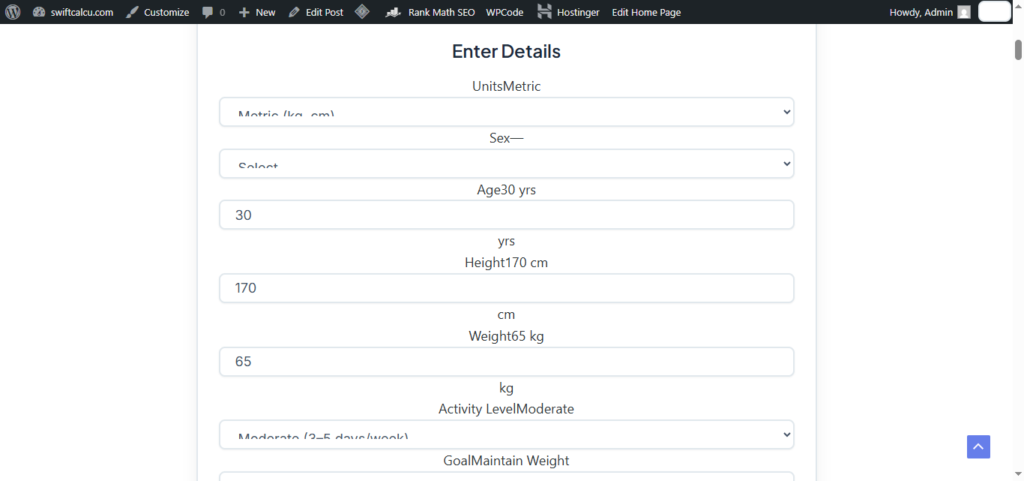
Most calculators allow you to switch between metric (kilograms, centimeters) and imperial (pounds, feet, inches) systems. Select the system you are most comfortable with to avoid any conversion errors. Consistency here is key for accurate calculations.
Age and Sex
These are fundamental data points. Your age and biological sex significantly influence your basal metabolic rate (BMR), which is the number of calories your body burns at rest. Men and women have different body compositions and hormonal profiles, which a good Macro Calculator will factor into its calculations. As you age, your metabolism naturally slows, so entering your correct age is crucial for an accurate energy expenditure estimate.
Height and Weight
Your current height and weight are used to calculate your Body Mass Index (BMI) and estimate your body’s total surface area, both of which are variables in metabolic rate equations. For the most accurate results, weigh yourself in the morning before eating or drinking and after using the restroom. Use a recent and honest measurement for both height and weight. This isn’t a time for wishful thinking; accurate data in equals reliable data out.
Setting Your Activity Level and Goals
This section is where your Macro Calculator truly begins to personalize your plan. Your daily calorie needs are heavily influenced by how active you are and what you want to achieve with your body.
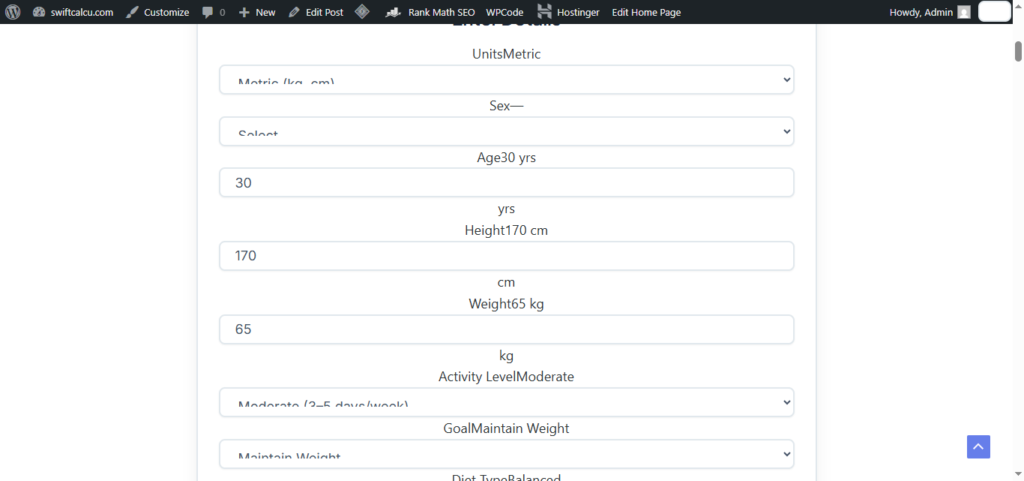
Choosing Your Activity Level
Be honest when selecting your activity level. Overestimating your activity is a common mistake that leads to an inflated calorie target, which can hinder weight loss efforts. Underestimating it can lead to under-fueling, which can stall muscle gain and leave you feeling fatigued. Here’s a typical breakdown:
- Sedentary: Desk job with little to no formal exercise.
- Lightly Active: Light exercise or sports 1-3 days a week.
- Moderately Active: Moderate exercise or sports 3-5 days a week.
- Very Active: Hard exercise or sports 6-7 days a week.
- Extremely Active: Very hard daily exercise or a physical job, plus training.
Think about your average week. If you have a desk job but hit the gym for an intense workout four times a week, “Moderately Active” would be a suitable choice. If you are a construction worker who also lifts weights, you might be “Very Active” or “Extremely Active.”
Defining Your Goal
What do you want to accomplish? A Macro Calculator allows you to set a specific goal, and it will adjust your calorie and macro targets accordingly. The common options are:
- Lose Weight: The calculator will create a calorie deficit, meaning you’ll be prescribed fewer calories than your body burns. This is typically set as a percentage (e.g., a 15-20% deficit) or a specific rate of loss (e.g., 1 lb per week). A gentle deficit is usually more sustainable.
- Maintain Weight: Your calorie target will be set to match your total daily energy expenditure (TDEE). This is ideal for those happy with their current weight who want to focus on body composition or performance.
- Gain Weight: The calculator will create a calorie surplus, providing more calories than your body burns to support muscle growth. A slight surplus (e.g., 10-15%) is recommended to minimize fat gain.
Selecting the right goal is the most critical step in tailoring the Macro Calculator to your personal journey.
Selecting a Diet Type & Using Custom Ratios
Once your core metrics and goals are set, the Macro Calculator will help you determine the ratio of your macros. Many calculators offer preset diet plans or the flexibility to create your own custom ratios.
Popular Diet Presets
Preset ratios make it easy to follow a specific dietary approach. Common options include:
- Balanced: This is a standard, moderate approach, often around 40% carbohydrates, 30% protein, and 30% fat. It’s a great starting point for most people.
- Low Carb: This preset lowers carbohydrate intake and increases fat and protein. It’s a popular choice for weight loss and blood sugar management.
- Keto & Low Carb: The ketogenic, or keto, diet is a very low-carbohydrate, high-fat diet. A Macro Calculator is essential for this approach, as maintaining the correct ratios (typically 70-75% fat, 20-25% protein, 5-10% carbs) is necessary to enter and stay in ketosis. Using a reliable Macro Calculator can make following diets like keto & low carb much simpler.
- High Protein: This option prioritizes protein intake, which is excellent for those looking to build muscle, improve satiety, and preserve lean mass during weight loss. Your protein needs are a key component of this plan.
Using Custom Ratios
For advanced users or those with very specific needs, the custom ratio feature is invaluable. Perhaps you’ve found through experience that you perform best with a slightly higher carb intake, or you’re practicing carb cycling. Carb cycling involves alternating between high-carb and low-carb days, and a Macro Calculator with a custom input feature allows you to plan these different days with precision. You can manually set the percentage of calories that will come from each macronutrient. This flexibility allows you to fine-tune your diet based on your body’s unique response.
Understanding Your Results
After you’ve filled everything in and hit “calculate,” you’ll be presented with a set of numbers. This is your personalized nutritional blueprint. Let’s break down what these numbers mean.
Daily Calorie Goal

The first and most prominent number will be your target daily calorie intake. This figure is the total amount of energy the Macro Calculator has determined you need to consume each day to achieve your goal. For example, if your goal is to lose weight, this number will reflect a calorie deficit.
The Macro Breakdown: Protein, Carbs, and Fats
Next, you will see your macronutrient targets, usually presented in grams. This is the core output of the Macro Calculator. It might look something like this for a 2,000-calorie goal:
- Protein: 150g
- Carbohydrates: 150g
- Fat: 89g
It’s important to understand why tracking in grams is more practical than percentages. Food labels list macros in grams, making it easy to track your intake throughout the day using a food diary or app. This breakdown provides a clear, actionable plan. Instead of just “eating less,” you now have a target: consume 150g of protein, 150g of carbs, and 89g of fat each day.
Understanding your individual protein needs is especially important for muscle repair and growth, and the Macro Calculator provides a specific target to aim for. The detailed macro breakdown is what sets this tool apart from a simple calorie counter.
Tips, Examples, and Scenarios
The true power of a Macro Calculator is its adaptability. Let’s explore how different people can use it to their advantage.
Scenario 1: Sarah, Beginner Focused on Weight Loss
- Profile: 35-year-old female, 170 lbs, 5’6″, sedentary office job, starts walking 3 times a week.
- Goal: Lose 1 lb per week.
- Input: Sarah enters her details, selects “Lightly Active,” and sets her goal to “Lose Weight.” She chooses a “Balanced” diet type.
- Output: The Macro Calculator might suggest around 1,600 calories, with a breakdown of approximately 140g protein, 120g carbs, and 62g fat.
- Beginner Tip: Sarah should focus on hitting her protein target first. Protein is highly satiating and will help her feel full on fewer calories. She can use a food tracking app to log her meals and get used to the portion sizes that fit her new macro goals. She shouldn’t stress about hitting the numbers perfectly from day one; consistency over perfection is the key.
Scenario 2: Mark, Intermediate Lifter Aiming for Muscle Gain
- Profile: 28-year-old male, 165 lbs, 6’0″, moderately active with 4-5 weightlifting sessions per week.
- Goal: Gain lean muscle.
- Input: Mark enters his stats, selects “Moderately Active,” and sets his goal to “Gain Weight” with a 10% calorie surplus. He opts for a “High Protein” diet.
- Output: The Macro Calculator might recommend around 3,000 calories, broken down into 180g protein, 350g carbs, and 99g fat.
- Intermediate Tip: Mark should focus on fueling his workouts. He could plan to consume a significant portion of his carbohydrates around his training sessions to maximize energy and recovery. A reliable Macro Calculator from a site like SwiftCalcu is an excellent starting point for this type of detailed planning.
Scenario 3: David, Advanced Athlete Using Carb Cycling
- Profile: 42-year-old male, 190 lbs, 5’11”, very active with intense daily training. He wants to maintain low body fat while maximizing performance.
- Goal: Maintain weight and improve performance.
- Input: David uses the Macro Calculator twice. First, to calculate his maintenance calories. Second, he uses the custom ratio feature to create plans for high-carb and low-carb days as part of his carb cycling protocol.
- High-Carb Day Output: Maintenance calories (e.g., 3,200) with 50% carbs, 30% protein, 20% fat. This translates to 400g carbs, 240g protein, and 71g fat.
- Low-Carb Day Output: Maintenance calories with 20% carbs, 40% protein, 40% fat. This becomes 160g carbs, 320g protein, and 142g fat.
- Advanced Tip: David can use the Macro Calculator to plan his entire week, aligning his high-carb days with his most demanding workouts and his low-carb days with rest or lighter activity. This strategic approach, facilitated by a versatile Macro Calculator, is a hallmark of advanced nutritional planning. Many find specialized diet tools to be invaluable for this level of detail.
Using the Calculator Regularly for Progress Tracking
Your body is not static, and neither are your nutritional needs. As you lose weight, gain muscle, or change your activity level, your energy requirements will shift. This is why you should treat the Macro Calculator as a tool for regular check-ins, not a one-time setup.
When to Recalculate
A good rule of thumb is to recalculate your macros every 4-6 weeks or after every 10-15 pounds of weight change. If you hit a plateau—where your weight loss or gain stalls for more than two weeks—it’s a clear sign that it’s time to revisit the Macro Calculator.
Enter your new weight and re-evaluate your activity level. Have your workouts become more intense? Have you been more sedentary than you planned? Adjusting your inputs will generate a new set of targets that reflect your current state, helping you break through the plateau and continue making progress.
Using a comprehensive suite of fitness calculators can also provide a more holistic view of your progress beyond just weight, including body fat percentage and other health metrics. This is why a regular check-in with a good Macro Calculator is so important. It ensures your nutritional strategy evolves with you, keeping you on the fastest track to your goals. The more consistent you are with updating your progress, the more effective this powerful tool becomes. This iterative process is at the heart of successfully using a Macro Calculator for long-term results.
Conclusion and Final Encouragement
Mastering your nutrition is one of the most impactful steps you can take toward transforming your health and fitness. A Macro Calculator demystifies this process, replacing confusion with clarity and guesswork with a data-driven strategy. By providing you with personalized calorie and macronutrient targets, it equips you with the exact information you need to fuel your body correctly for your specific goals.
We’ve walked through how to input your details with precision, select the right activity levels and goals, and interpret your results. We’ve seen how a Macro Calculator can be adapted for anyone, from a beginner starting their weight loss journey to an advanced athlete fine-tuning their performance. Remember that this tool is your partner in progress. Use it to set your initial course, and return to it regularly to adjust your path as you evolve.
Your journey to better health is unique, and a Macro Calculator respects that individuality. It provides the structure, and you provide the consistency. Embrace the power of this tool, be patient with your progress, and get ready to unlock a new level of control over your fitness outcomes. You now have the knowledge to use a Macro Calculator effectively—the next step is to put it into action
FAQs
How often should I recalculate my macros?
You should recalculate your daily macronutrient needs whenever you experience a significant change in your body or routine. A good guideline is to use the macro calculator again every 4-6 weeks or after a weight change of about 10-15 pounds. Additionally, if you hit a progress plateau (your weight loss or gain stalls for a couple of weeks) or if your activity level changes (e.g., you start a new, more intense workout program), it’s a perfect time to update your numbers to ensure they align with your current body and goals.
What if my calculated calorie and macro results seem too high or too low?
If the results from the macro calculator don’t feel right, the first step is to double-check your inputs. A common mistake is misjudging your “Activity Level.” Be honest about how much you move daily, both through exercise and general lifestyle. Selecting “Sedentary” when you’re actually “Lightly Active” can make a big difference. Also, confirm that your height, weight, age, and goal (lose, maintain, or gain) are entered correctly. If everything is accurate, consider the result a starting point. Try following the recommendation for two weeks. Your body may need time to adjust. If you still feel it’s off, you can manually adjust your calories by 100-200 and see how your body responds.
Can I use this macro calculator for specific diets like keto or low-carb?
Absolutely. A quality macro calculator is an essential tool for structured diets like keto and low-carb. When setting up your calculation, look for a “Diet Type” option. You can select “Keto & Low Carb” to automatically get a macro split that is high in fat, moderate in protein, and very low in carbohydrates, which is necessary to enter ketosis. If you’re following a less strict low-carb diet, you can select the “Low Carb” preset. For users who have a specific ratio in mind, the “Custom Ratio” feature allows you to manually set the percentage of calories from protein, carbs, and fats to perfectly match your specific dietary plan.

