
10 Ticks Calculated Coloring Tool
Generate a complete color scale with 10 calculated ticks. Perfect for designers creating consistent color systems and step color calculations.
About This Color Ticks Calculator
This 10 ticks calculated coloring tool generates a complete color scale with step color calculations. Use it to create consistent color systems, design palettes, and explore color variations automatically. Each tick represents a calculated step in your chosen direction.
10 Ticks Calculated Colouring Guide
Introduction
In the precise world of user interface design, color consistency is not just an aesthetic choice; it is a functional requirement. Designers often struggle to create balanced color ramps that feel natural to the human eye while maintaining mathematical precision. This is where the concept of 10 ticks calculated colouring becomes an essential methodology for modern digital product creation. By breaking down a single base hue into calculated steps, designers can generate a versatile palette that serves every state of an interface, from subtle background tints to high-contrast text elements.
The shift towards systematic design has made tools that handle 10 ticks calculated colouring indispensable. Gone are the days of manually guessing hex codes or adjusting a brightness slider until it “looks right.” Today, design systems require reliable, repeatable logic. When you utilize 10 ticks calculated colouring, you are ensuring that your spacing between shades is mathematically constant. This consistency allows for predictable contrast ratios, which is vital for accessibility compliance and visual harmony across complex dashboards or applications.
Throughout this guide, we will explore the mechanics behind this specific method of color generation. We will look at why a 10-step scale is the industry standard, how to effectively use tools that automate this process, and the underlying theory that makes 10 ticks calculated colouring the superior choice for professional UI/UX work. Whether you are building a new design system from scratch or refining an existing brand palette, understanding this calculation method will significantly elevate the quality of your output.
Understanding Color Ticks & Step Coloring
To fully appreciate the value of 10 ticks calculated colouring, one must first understand what a “tick” represents in the context of color theory. A tick is essentially a distinct step or interval within a gradient. When we speak of step coloring, we are referring to the process of taking a base color and modifying its properties—usually lightness or saturation—by fixed increments. Instead of a smooth, infinite gradient where values blur together, step coloring creates defined “buckets” of color that can be assigned specific roles in a user interface.
The methodology of 10 ticks calculated colouring focuses specifically on generating ten distinct variations. This number is not arbitrary. It aligns perfectly with the decimal system used in CSS font weights (100 to 900) and allows for a broad enough range to cover every necessary UI use case without creating redundant options. If you have too few steps, you lack the nuance needed for hover states or subtle borders. If you have too many, the system becomes unwieldy and confusing for developers.
When you rely on 10 ticks calculated colouring, you are essentially creating a ladder of luminance. Imagine a base blue color. A random generation might give you a slightly lighter blue and a drastically darker blue. A calculated generation, however, ensures that the perceptual distance between Tick 1 and Tick 2 is roughly the same as the distance between Tick 2 and Tick 3. This visual rhythm creates a sense of order and professionalism that is difficult to achieve manually.
This approach is fundamentally different from using a simple lighten or darken tool found in standard graphic software. Those tools often apply a flat white or black overlay, which can desaturate the color and make it look muddy. A robust 10 ticks calculated colouring engine respects the saturation curves, ensuring that lighter ticks remain vibrant and darker ticks retain their richness. This sophistication is why step color calculation has become a separate discipline within UI design.
Furthermore, 10 ticks calculated colouring bridges the gap between design and development. When a designer hands off a file with random hex codes, the developer has to hard-code each one. However, if the palette is generated using a logical 10-tick scale, the developer can often use functions or variables to programmatically manage the theme. This creates a shared language between the creative and technical teams, reducing friction and errors during the implementation phase.
Color Theory Basics (Beginner Friendly)
Before diving deeper into the specific mechanics of the tool, it is helpful to review the foundational color theory concepts that make 10 ticks calculated colouring possible. At the heart of digital color is the HEX code. A HEX code is a six-digit alphanumeric representation of color that tells the screen how much Red, Green, and Blue (RGB) light to emit. While HEX codes are compact and universal for web use, they are not intuitive for calculating steps manually. You cannot simply add “10” to a HEX code and expect a consistent result.
The RGB color space is additive, meaning you start with black (no light) and add colored light to achieve white. This is distinct from print design, which uses subtractive mixing (CMYK). When utilizing a digital tool for generating variations, the software often converts your HEX input into HSL (Hue, Saturation, Lightness) or HSB (Hue, Saturation, Brightness). These models are much friendlier for calculation because they separate the “color” (Hue) from how “light” or “intense” it is.
Brightness and contrast are the primary variables manipulated during step generation. Lightness determines how close a color is to white or black. In a 10 ticks calculated colouring system, the algorithm is essentially moving the Lightness slider up or down in fixed percentages. However, simple lightness adjustment is not always enough. As colors get lighter, they can appear to lose their character. Advanced calculation methods compensate for this by slightly adjusting saturation to maintain perceptual uniformity.
Accessibility is another critical component of modern color theory. The Web Content Accessibility Guidelines (WCAG) require specific contrast ratios between text and background. By using a generated scale, designers can easily identify which ticks are safe to use for text. For example, in a 10-step blue scale, Ticks 8, 9, and 10 might be dark enough for white text, while Ticks 1 and 2 are light enough for black text. This predictability is a major advantage of using a structured system over picking random colors.
Understanding the difference between lightening and darkening logic is also vital. Lightening mixes the hue with white, creating tints. Darkening mixes the hue with black, creating shades. A comprehensive 10 ticks calculated colouring process allows you to explore both directions from a single source of truth. This ensures that your dark mode interfaces (which rely on shades) and your light mode interfaces (which rely on tints) share the same DNA, maintaining brand integrity across different viewing environments.
Why Designers Use 10-Step Color Scales
The adoption of 10-step scales in design systems is driven by the need for scalability and flexibility. When building a comprehensive design language, you are rarely designing a single page; you are building a system of components that must work in infinite combinations. 10 ticks calculated colouring provides the raw material for this system. It offers a standardized palette that removes decision fatigue. Instead of debating which shade of grey to use for a border, a designer simply defaults to “Neutral-300” or “Tick 3” from their established scale.
One of the primary use cases for these scales is defining UI states. Interactive elements need to provide visual feedback. A button might sit at Tick 5 in its resting state. When a user hovers over it, the system might shift to Tick 6 (slightly darker) or Tick 4 (slightly lighter). When the button is pressed (active state), it shifts another step. When it is disabled, it might drop to a desaturated Tick 2. Without 10 ticks calculated colouring, defining these states requires manual trial and error for every single component. With the calculated scale, the logic is automatic and universally applicable.
Complex data visualization also benefits immensely from this approach. Charts and graphs often need to display multiple datasets that belong to the same category but need to be distinct. A line graph showing revenue over five different years looks chaotic if the colors are random. However, if the lines use Ticks 4, 5, 6, 7, and 8 from the same hue family, the chart looks cohesive and easy to read. The step definition provided by 10 ticks calculated colouring ensures that there is enough contrast between adjacent lines for the user to differentiate them.
Consistent branding is another major factor. Brands usually have one or two primary colors. However, a digital product cannot be built with just two hex codes. You need backgrounds, borders, subtle alerts, and high-contrast headers. Using 10 ticks calculated colouring allows a brand to expand its primary color into a full spectrum without introducing foreign hues. It keeps the “soul” of the brand color while making it usable in functional contexts where the original color might be too dark or too vibrant.
From a workflow perspective, this method streamlines developer handoff. Modern frontend frameworks like Tailwind CSS or Bootstrap are built around the concept of utility classes mapped to numbered scales (e.g., blue-100, blue-500, blue-900). If a designer uses 10 ticks calculated colouring to generate their palette, they are speaking the same language as the framework. They can hand over a JSON file or a list of variables that maps perfectly to the code structure. This reduces the back-and-forth communication regarding hex codes and ensures the final product matches the design file pixel-for-pixel.
While freelancers and agencies focus on these design efficiencies, they also have to manage the business side of their operations. Tools like a Tax Calculator help designers estimate their take-home pay after project fees, ensuring their rate structures for creating these design systems are sustainable. Similarly, understanding the long-term value of their work is crucial; an Inflation Calculator can provide perspective on how retainer fees or long-term contracts might lose value over time if not adjusted.
How the Tool Works (Step-by-Step)
Understanding how to operate the tool effectively is crucial for getting the best results. The interface for 10 ticks calculated colouring is designed to be intuitive, yet it offers powerful control over the generation process. Here is a detailed walkthrough of how a user interacts with the tool to generate a perfect color scale.
Step 1: Choosing a Base Color
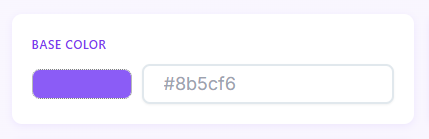
Everything begins with the source. You start by selecting a base HEX color. This could be your brand’s primary logo color or a specific hue you want to explore. You can enter the HEX code manually into the input field if you know it (e.g., #8b5cf6), or you can use the integrated color picker to visually select a hue. The tool immediately recognizes this input as the anchor point for the calculation.
Step 2: Selecting the Direction

Once the base color is set, you must decide the direction of the scale. The tool generally offers two modes: “Lighten” or “Darken.” If you select “Lighten,” the tool will generate ticks that progressively mix your base color with white. If you select “Darken,” it will mix with black. Some advanced workflows involving 10 ticks calculated colouring might generate a scale that expands in both directions from the center, but typically, you generate a light scale and a dark scale separately for maximum control.
Step 3: Adjusting Intensity
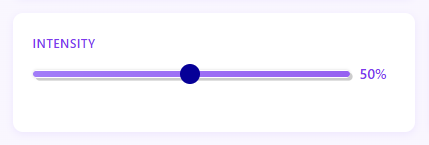
The intensity slider is where the magic happens. This control determines the “strength” of the step calculation. A lower intensity percentage means the difference between each tick is subtle, creating a smooth, gradient-like transition. A higher intensity results in stark, high-contrast steps. As you slide this control, the algorithm behind 10 ticks calculated colouring recalculates the values in real-time, allowing you to visually preview how drastic the changes will be between Tick 1 and Tick 10.
Step 4: Automatic Calculation Logic
Upon adjusting your parameters, the engine processes the data. It takes your base HEX, converts it to a mathematical color space (like HSL), and divides the range based on the intensity and the fixed number of 10 steps. This is the core function of 10 ticks calculated colouring. It ensures that the mathematical interval between Tick 1 and Tick 2 is identical to the interval between Tick 9 and Tick 10. This linear progression is what makes the resulting palette feel engineered and professional.
Step 5: Reviewing the Visual Output
The tool displays the results as a horizontal or vertical row of color blocks. These are your 10 generated ticks. Tick 1 usually represents the one end of the spectrum (closest to the base or lightest), while Tick 10 represents the other extreme. You can visually inspect the blocks to ensure the hue hasn’t shifted unpleasantly and that the steps are distinct enough for your needs.
Step 6: Accessing the Data
For every generated tick, the tool displays the precise HEX code corresponding to that step. This is the actionable data you need. In a proper 10 ticks calculated colouring interface, you will see the HEX code overlaying the color block. This immediate feedback loop allows you to verify that the colors are web-safe and appropriate for your tech stack.
Step 7: Copying and Resetting
Efficiency is key. Each color block typically features a “Copy” button or click-to-copy functionality. You can quickly grab the code for Tick 3, then Tick 4, and paste them directly into your CSS or design software. If the result isn’t quite right—perhaps the darks are too muddy—a “Reset” button allows you to clear the parameters and start fresh, or you can simply tweak the base color or intensity slider to regenerate the 10 ticks calculated colouring set instantly.
For example, if you input a vibrant violet (#8b5cf6) and choose “Lighten” with a 10% step intensity, Tick 1 might remain close to your base, while Tick 10 approaches pure white. This generated list gives you every tint you need for backgrounds and hover states without ever leaving the tool.
Practical Use Cases
The versatility of 10 ticks calculated colouring makes it applicable across a wide range of digital products. In standard web applications, these scales are most frequently used to build comprehensive theme files. For a SaaS dashboard, you rarely use just “grey.” You use a cool-grey or a warm-grey scale generated via this method. The lighter ticks (1-3) serve as background colors for the app container, the sidebar, and cards. The middle ticks (4-6) are often used for borders, dividers, and disabled text. The darker ticks (7-10) are reserved for primary text, headings, and active icons. This creates a monochromatic harmony that is pleasing to the eye.
Mobile app design also relies heavily on 10 ticks calculated colouring. Mobile screens are smaller and often subject to varying lighting conditions (outdoors vs. indoors). Having a robust scale ensures that you have high-contrast options available for accessibility modes. Furthermore, mobile touch targets require clear active states. Using a calculated scale allows a button to react to a finger press by jumping two ticks darker, providing immediate visual confirmation of the interaction.
Data visualization is perhaps one of the most demanding use cases. When designing a heatmap or a choropleth map, you need a color ramp that clearly indicates value progression. A scale generated through 10 ticks calculated colouring is perfect for this. It provides equidistant color steps that map linearly to data values. A region with 10% density gets Tick 1, while a region with 100% density gets Tick 10. Because the colors are mathematically calculated, the user perceives the data increase accurately, preventing misleading visualizations that can occur with hand-picked colors.
Branding agencies use these tools to hand off deliverables to clients. A logo is just the start. By providing a 10 ticks calculated colouring guide alongside the logo, the agency ensures that any future vendor or internal team has a pre-approved set of colors to use. This prevents the “rogue color” problem where different departments create their own slightly different versions of the corporate blue.
Even within marketing sites, these scales add depth. Illustrations and hero graphics can use the extended palette to create depth and shading without introducing new hues. A flat illustration style becomes much more dynamic when it utilizes the full range of a 10 ticks calculated colouring output, using the light tints for highlights and deep shades for shadows.
Managing the financial side of these projects is also key for professionals utilizing these tools. When saving the earnings from high-value branding projects, using an FD Calculator helps designers understand how much interest their savings could earn in a fixed deposit, aiding in financial planning.
Benefits for Designers & Developers
The primary benefit of adopting 10 ticks calculated colouring is the massive reduction in time spent on repetitive tasks. Manually curating a 10-step scale can take an experienced designer an hour to get perfect. They have to adjust Hue, Saturation, and Brightness for every step, check contrasts, and realign. With a calculation tool, this happens in milliseconds. This speed allows for rapid iteration. A designer can test five different base colors in the time it would normally take to generate one scale.
Accuracy is another significant advantage. Human eyes are subjective and can be influenced by screen calibration or fatigue. A mathematical algorithm is objective. 10 ticks calculated colouring eliminates the “magic numbers” and guesswork. It produces a scale that is mathematically sound. This objectivity is crucial when defending design decisions to stakeholders. You can explain that the colors were not just “picked,” but generated using a systematic approach that ensures legibility and consistency.
For developers, the output of 10 ticks calculated colouring is a dream. It maps directly to modern coding practices. If a developer receives a list of 10 HEX codes that follow a logical progression, they can easily script loops to generate CSS classes. It reduces the file size of stylesheets by encouraging reusability. Instead of having 50 unique hex codes that are all slightly different shades of blue, the codebase might just reference the 10 defined ticks. This makes the code cleaner, easier to maintain, and faster to load.
The method also significantly reduces design errors. When working on large teams, different designers might accidentally introduce slight variations of the same color. One might use #EEEEEE for a background, while another uses #F0F0F0. Visually they are nearly identical, but in the code, they are two different colors. By enforcing a 10 ticks calculated colouring system, everyone draws from the same approved bucket of 10 ticks. This standardization keeps the product looking tight and polished, regardless of how many people are working on it.
User Experience & Interface Benefits
The tool itself is designed with the user experience of the creative professional in mind. The interface for a 10 ticks calculated colouring generator is typically clean and distraction-free. It prioritizes the color content over unnecessary UI elements. This visual clarity helps designers focus on the subtle differences between the ticks without visual interference from the tool’s own design.
Responsiveness is also a key feature. Designers often work across multiple screens or even on tablets during brainstorming sessions. A well-built 10 ticks calculated colouring tool adapts to different viewports, allowing for on-the-go palette generation. The layout usually stacks the colors vertically on mobile, making it easy to compare the progression even on a small screen.
The “copy-friendly” nature of the output is a subtle but powerful UX benefit. The frustration of manually typing HEX codes is eliminated. By simply clicking on a generated tick, the code is copied to the clipboard. This micro-interaction speeds up the workflow significantly. It transforms the tool from a passive reference into an active part of the production pipeline.
Ultimately, the goal of the interface is to make the complex math of color theory invisible. The user doesn’t need to know the formula for luminosity calculation; they just need to see the result. The 10 ticks calculated colouring interface bridges that gap, presenting complex data in a simple, visual, and actionable format.
Conclusion
In the demanding field of UI/UX design, tools that offer precision and consistency are invaluable. 10 ticks calculated colouring is more than just a utility; it is a foundational practice for creating scalable, accessible, and beautiful digital products. By automating the generation of color steps, it frees designers to focus on creativity while ensuring the structural integrity of their color systems. From the initial selection of a base hex to the final handoff of a developer-ready palette, the process streamlines workflows and elevates the quality of the final interface. Embracing 10 ticks calculated colouring ensures that your designs are not only visually striking but also mathematically harmonious and future-proof.
FAQs
What is 10 Ticks Calculated Colouring?
10 Ticks Calculated Colouring is a method used in UI/UX design to generate a systematic 10-step color scale from a base color. This approach ensures consistent, mathematically precise color variations, making it ideal for design systems, dashboards, and branding. It eliminates guesswork and provides developers and designers with a reliable palette for various interface elements.
Why is 10 Ticks Calculated Colouring important for design systems?
This method ensures that color variations are evenly spaced and predictable, which is crucial for maintaining consistency across UI states (e.g., hover, active, disabled) and branding. It also simplifies developer handoff by providing a structured palette that aligns with modern frameworks like Tailwind CSS or Bootstrap.
How does the 10 Ticks Calculated Colouring tool work?
The tool starts with a base HEX color and allows users to generate 10 calculated steps by adjusting parameters like lightening or darkening intensity. Each step is displayed as a color block with its corresponding HEX code, which can be copied directly for use in design or development.
Let me know if you’d like to refine or expand these!

